AI, Automation & Software for Security & CCTV Companies
Every enquiry captured, every fault ticketed.
CCTV installers, security integrators and security service companies lose jobs to slow quotes and lose time to fault calls and paperwork. We build the chatbots, voice agents, automations and software that capture install enquiries, book site surveys, raise fault tickets and keep service contracts in step.
Why Choose GetAIChatBots for Security & CCTV Companies
Security work is urgent for the customer and busy for you: the enquiry that arrives while your surveyor is on a roof, the fault call that comes in at night. GetAIChatBots builds the chatbots, voice agents, automations, CRMs and custom software that answer every enquiry, collect the site details your team needs, book surveys, raise tickets and keep service contracts in step. Our systems never monitor cameras, verify alarms or dispatch responders: those stay with your people and systems. We work remotely with CCTV installers, security integrators and security service companies across the United States and worldwide.
Slow replies and scattered paperwork cost jobs.
A customer who needs a survey calls several companies and books the first that answers. While your engineers are on site, enquiries wait, fault reports arrive as vague messages, and renewals and handover paperwork depend on memory.
The fix is rarely one tool. It is the right mix: a chatbot or voice agent that answers first and collects the details, automation that creates tickets and chases renewals, and software where off-the-shelf stops fitting.
- Enquiries waiting while engineers are on site
- Fault reports missing key details
- Renewals and paperwork tracked by hand
Three steps from audit to launch.
Map your job journey
We follow a job from first enquiry to completed visit.
A short working session maps how enquiries, surveys, tickets and renewals move through your team, and where jobs wait or drop out.
- Channels and tools reviewed
- Drop-off points found
- Quick wins agreed first
Build the right mix
Chatbots, agents, automation, CRM or software.
We build in short cycles with a demo each week, starting with the change that removes the most friction.
- Weekly demos
- Connected to your calendar and CRM
- Fixed scope in writing
Run and improve
We monitor, report and keep improving.
Each workflow and agent is monitored, with alerts and a regular review of what is working.
- Monitoring and alerts
- Regular reporting
- Handover and training
How we help security and CCTV companies
Six services, one team. Choose one to see how it works for security and CCTV.
AI Chatbots
Chatbots on your website, WhatsApp, SMS and email that reply first, so your surveyors and engineers can stay on site.
- Install enquiries and quote requests
- Site survey booking
- Fault reports as tickets
- Handover to a person
AI Agents
Voice agents that answer support and enquiry calls around the clock and pass urgent calls to the right person.
- After-hours and overflow calls
- Fault and support calls
- Install enquiry and survey calls
- Service reminder and callback calls
Business Automation
Workflows that remove the copy-paste between your inbox, CRM, helpdesk and engineer calendar.
- Enquiry and job entry
- Engineer scheduling and notices
- Service and renewal reminders
- Handover documents and reports
CRM Development
A CRM shaped around sites, installed systems and service contracts instead of a generic sales pipeline.
- Pipelines that fit
- Site and equipment records
- Routing and reminders
- Reports and clean-up
Full Stack / SaaS
Custom software for when off-the-shelf tools stop fitting how your security company works.
- Customer ticket portal
- Quote and survey request page
- Engineer dispatch dashboard
- Integrations
Advisory & Growth
Clear advice before you build: what to fix, what to automate and what to leave with people.
- AI roadmap
- Security review
- Product scoping
- UX audit
One team for the whole job, from enquiry to renewal
Jobs are lost in the gaps: the enquiry that arrived on a Saturday, the fault report without a site name, the contract that expired because nobody chased it. We build the chatbot, the voice agent, the automation and the CRM as one connected system, so a web enquiry, a WhatsApp message and a phone call all end up in one record. The line is clear: our systems collect, book, ticket, remind and report. They do not monitor cameras, verify alarms or dispatch responders.
Book a Call ↗From first enquiry to renewal, handled.
We build six kinds of service for security and CCTV companies: chatbots, voice agents, automation, CRM development, custom software and advisory. They can be bought one at a time, and they are designed to work together.
What gets built first
Whatever removes the most friction: usually enquiry capture, survey booking and turning fault reports into tickets.
Where people stay in charge
Quotes, technical and compliance advice, alarm and monitoring decisions and anything urgent. Systems handle the repetitive steps and hand over with the full history.
Works with your stack.
We connect everything to your calendar, helpdesk and CRM where they offer an interface, plus your phone number and inbox, and recommend the platform that fits how your team works.
Book a Call →Why Choose GetAIChatBots for Security & CCTV Chatbots
A security and CCTV chatbot answers the enquiry the moment it arrives, collects the site type, areas to cover and existing equipment, books the survey and raises fault reports as complete tickets. GetAIChatBots builds chatbots and voice agents for CCTV installers, integrators and security service companies, connected to your calendar and CRM. It never monitors cameras, verifies alarms or asks for passwords. We work remotely with clients across the US and worldwide.
The installer who answers first often wins the survey.
A business owner who has just had a break-in or a near miss wants someone on site fast and calls several companies. Enquiries arrive with half the details missing, and the surveyor is on a roof or in a plant room when the message comes in. Meanwhile fault reports from existing customers fill the inbox.
A chatbot answers instantly, collects the site details, books the survey and turns fault reports into complete tickets, so your team starts from a full picture.
- Enquiries missing site details
- Surveyors playing phone tag
- Fault reports arriving as vague messages
Three steps from enquiry to launch.
Load your services and rules
The bot learns your installs, service plans, coverage area and house style.
You share the services you offer, the areas you cover, how surveys are booked and which topics always go to a person. Prices and compliance advice are only given if you tell the bot to share a published figure.
- Services and coverage loaded
- Survey booking rules set
- Handoff rules agreed with your team
Qualify and book
It collects the site details and books the survey.
The bot asks about the site, the areas and the existing system, and offers real free survey slots. Your surveyor arrives with the details already in the job record.
- Site details and photos collected
- Survey slots offered from your calendar
- Job record created in your CRM
Ticket and hand over
Fault reports become tickets, and sensitive topics go to a person.
Customers report a fault in chat and the bot raises a ticket with the site, equipment and symptoms. Quotes, complaints and anything unusual are passed to a team member with the conversation attached.
- Fault tickets with full details
- Staff alerted with context
- Confirmation sent to the customer
What you get.
Enquiry handling on web, WhatsApp and SMS
One consistent set of answers, wherever the enquiry arrives.
- Replies in minutes, any time
- Same answers on every channel
- Urgent items flagged to staff
Site-detail capture for quotes
Requests arrive with what your surveyor needs.
- Site type and areas to cover
- Indoor, outdoor and existing system
- Contact details and preferred times
Survey and visit booking
Customers book a slot from your real calendar.
- Free slots offered
- Address and access notes attached
- Reminders and rescheduling in chat
Fault reports as tickets
Reports reach your helpdesk complete.
- Site, equipment and symptoms collected
- Photos or error messages attached
- Ticket confirmation sent to the customer
Answers from your own documents
Answers come from your approved material, not guesswork.
- Service plans and FAQs
- Source shown with each answer
- Updated when your documents change
Human handoff for urgent or sensitive requests
Anything urgent goes straight to a person.
- Rules for what counts as urgent
- Full conversation passed along
- Alerts to the on-call engineer
What AI chatbots do for security and CCTV companies
Chatbots on your website, WhatsApp, SMS and email that reply first, so your surveyors and engineers can stay on site.
Install enquiries and quote requests
Site type, areas to cover, indoor or outdoor, existing equipment and contact details collected in a short chat, so the quote starts from a complete request.
Site survey booking
Customers pick a survey slot from your calendar, with the address and access notes attached for the surveyor.
Fault reports as tickets
A camera offline or a recorder error is described in chat and raised as a ticket with the site, the equipment and the symptoms.
Handover to a person
Quotes, complaints and anything the bot is unsure about reach your team with the full conversation.
A chatbot for enquiries and tickets, not for security decisions
In security, trust matters. Our chatbots collect site details, book surveys, raise tickets and answer questions from documents you approve with a reference to the source. They do not monitor cameras, verify alarms, dispatch anyone or give legal or compliance advice, and they say so and route those topics to your team. They never ask customers for passwords, access codes or footage. If someone describes an emergency, the bot directs them to emergency services. We agree the boundaries with you on the discovery call and write them into the bot’s instructions.
Book a Call ↗Complete requests in, fewer interruptions for the people on site.
A security and CCTV chatbot is an assistant on your website, WhatsApp or SMS that answers common questions, asks the intake questions your surveyor needs and delivers a complete request or ticket to your team. Add a retrieval layer and it can answer from your own service plans and support guides, citing where the answer came from. Workflows then take over the reminders and record updates that normally depend on someone remembering.
What the bot handles
Enquiry intake, survey booking, fault tickets, service and renewal reminders and record updates. These are repetitive tasks with clear inputs and no security judgment involved.
Where people stay in charge
Quotes, technical and compliance advice, alarm and monitoring matters and anything urgent. The bot passes these to your team with everything it has collected.
Works with your stack.
We connect the bot to your calendar, CRM and helpdesk, where they offer an interface, and recommend the platform that fits how your business already works.
Book a Call →The channels security customers use to reach you.
Business owners, facilities managers and homeowners contact installers on whatever is quickest. We cover the channels below so an enquiry from any of them lands in one place with the details your team needs.
Why Choose GetAIChatBots for Security & CCTV AI Agents
A security AI agent answers the phone when your engineers are on site, collects the fault or install details, opens the ticket and passes urgent calls to the on-call engineer. GetAIChatBots builds voice and chat agents for CCTV installers, integrators and security service companies, connected to your phone number, calendar and helpdesk. It never monitors cameras, verifies alarms or dispatches responders. We work remotely with clients across the US and worldwide.
The phone rings while every engineer is on site.
Customers call when something is wrong, often out of hours: an alarm panel beeping, a camera down, a recorder not recording. If nobody answers, they try the next company or wait anxiously until morning. Install enquiries ring out in the same way.
A voice agent answers every call, collects the details, opens the ticket and books surveys. Urgent calls go straight to the on-call engineer, and the agent never gives technical or legal advice it has not been given.
- Fault calls going to voicemail
- Engineers interrupted on site to answer the phone
- Install enquiries that never get a call back
Three steps for AI agents in security.
Define the call
We write the call around your services, support hours and escalation rules.
Together we agree what the agent says, what it asks and when it passes the call to a person. It answers from your own service plans and support guides, so its answers stay accurate.
- Greeting, questions and handover rules
- Services and support guides loaded
- Voice and languages chosen
Connect phone and helpdesk
The agent plugs into your number, calendar, helpdesk and on-call rota.
We connect your phone number, the on-call contacts, your calendar and your ticketing or CRM tool, and set the hours and rules. Inbound and outbound calls run on the same setup.
- Number and call routing set up
- On-call rota linked
- Call hours and rules configured
Answer, ticket, hand over
It answers, opens the ticket and passes urgent calls on.
Every call is logged with a summary and outcome. Urgent faults are transferred to the on-call engineer, and routine faults become complete tickets.
- Summary and outcome saved
- Urgent calls transferred live
- Tickets opened with details
What you get.
Inbound call answering
Every call is picked up on the first ring, day or night.
- Greeting in your company’s voice
- Service and support questions answered
- Urgent calls transferred to a person
Fault and support intake
Fault calls become complete tickets.
- Site, equipment and symptoms collected
- Ticket opened in your helpdesk
- Customer told what happens next
Urgent call routing
Calls that need an engineer reach one at once.
- Rules for what counts as urgent
- Live transfer or instant alert
- Details passed on
Answers from your documents
Service plans and support guides become accurate spoken answers.
- Retrieval from your own files
- Sources kept up to date
- Handover to a person when unsure
Phone system integration
The agent works with the lines you already have.
- PBX and SIP connection
- Call routing and live transfer
- Logs kept for every call
Call summaries in your system
Every call ends with a clear record.
- Summary and outcome saved
- Tasks created for follow-up
- Urgent items flagged
What AI agents do for security and CCTV companies
Voice agents that answer support and enquiry calls around the clock and pass urgent calls to the right person.
After-hours and overflow calls
Calls outside office hours, or while the team is out on jobs, are answered and logged, with urgent faults passed to the on-call engineer.
Fault and support calls
Callers describe the problem, and the site, equipment and symptoms are collected and opened as a ticket.
Install enquiry and survey calls
Callers who want a quote are asked the key site details and booked into a survey slot.
Service reminder and callback calls
Customers get reminder calls about service visits and contract renewals, and callbacks when an engineer has an update.
A voice agent that takes the details and knows its limits
Security customers call worried, often out of hours. Our agents stay calm, ask the questions a good dispatcher would ask about the site and the symptoms, read from your own service plans instead of guessing and pass the call to a person the moment it is urgent or the caller asks for one. The agent does not verify alarms, dispatch anyone or give technical or legal advice, and callers describing an emergency are told to contact emergency services.
Book a Call ↗Answer first, collect the details, route the call.
A security AI agent is a voice or chat assistant that answers inbound calls, calls customers back with reminders and passes complete tickets to your team, then logs the call. It covers the hours and the volume your office cannot reach.
What gets handled first
After-hours calls, overflow calls, fault intake and survey booking. These are frequent, rule-based conversations where a fast first answer decides whether the customer waits or calls a competitor.
Where people stay in charge
Quotes, technical and compliance advice, alarm and monitoring matters and anything urgent. The agent transfers live or hands over with a summary, so your engineers start informed.
Works with your stack.
We connect the agent to your phone number, calendar and helpdesk, and recommend the platform that fits your call volume.
Book a Call →What sits behind a security voice agent.
A voice agent is more than a script. These are the pieces that make it accurate, reliable and connected to your phones.
Why Choose GetAIChatBots for Security & CCTV Automation
Security automation removes the copy-paste between your inbox, CRM, helpdesk and calendar, so jobs and tickets are created once, engineers and customers are notified on time and renewals are chased on schedule. GetAIChatBots builds workflows for CCTV installers, integrators and security service companies on the platform that fits your stack, and we work with clients across the US and worldwide. Alarm, monitoring and dispatch decisions stay with your people.
The same job gets typed into three places.
A customer reports a fault by message, someone raises a ticket, then tells the engineer, then emails the customer. Service renewals are tracked in a spreadsheet, install paperwork is chased by hand and the weekly report takes an afternoon.
Automation connects those tools, so a job or ticket is created once, engineers and customers are told on time, renewals are chased on schedule and the report builds itself.
- Jobs and tickets typed in more than once
- Renewals and service dates tracked by hand
- Install paperwork sent late
Three steps for automation in security.
Map your job journey
We list every tool a job touches and where time is lost.
A short working session maps your enquiry channels, CRM, helpdesk, calendar and paperwork, and picks the handoffs that waste the most time.
- Tools and handoffs mapped
- Manual steps ranked by effort
- Quick wins agreed first
Build and connect
We build the workflows and connect your tools.
Enquiries and fault reports become jobs and tickets with the right fields, engineers are notified, and confirmations, reminders and handover documents follow the schedule. Errors trigger alerts and retries.
- Job and ticket capture
- Visit confirmations and reminders
- Renewal and service workflows
Monitor and report
You get a weekly summary and alerts if anything breaks.
Each workflow is logged and monitored. A weekly report covers enquiries, tickets and response times, and we hand over documentation so your team knows how it works.
- Error alerts, retries and logging
- Weekly report sent automatically
- Handover documentation
What you get.
Job and ticket entry
Enquiries and fault reports from every source land in one place.
- Forms, emails and messages connected
- Fields filled and duplicates merged
- Right engineer notified
Engineer scheduling and notices
Visits are scheduled and customers are told.
- Visits added to the calendar
- Confirmation and on-the-way messages
- Reschedules pushed to everyone affected
Service and renewal reminders
Nothing waits on someone’s memory.
- Dates taken from your own records
- Reminders to the customer and the account owner
- Escalation when a renewal is overdue
Handover documents
Paperwork goes out when the job is done.
- Checklist completed on site
- Handover pack sent to the customer
- Record saved against the site
Weekly reports
The numbers arrive without anyone building them.
- Enquiries, tickets and response times
- Delivered to your inbox or chat
- Breakdown by job type or area
Monitoring and alerts
You hear about a problem before your customers do.
- Error alerts and automatic retries
- Logs for every workflow
- Documentation handed over
What automation does for security and CCTV companies
Workflows that remove the copy-paste between your inbox, CRM, helpdesk and engineer calendar.
Enquiry and job entry
Install enquiries and fault reports from every channel land in your CRM or helpdesk with the right fields filled and the right person notified.
Engineer scheduling and notices
Visits are added to the engineer’s calendar, and customers get confirmations and on-the-way messages.
Service and renewal reminders
Reminders for service visits, contract renewals and warranty dates, taken from your own records.
Handover documents and reports
Install checklists and handover documents sent on completion, plus a weekly summary of jobs, tickets and response times.
Automation that fixes the handoffs, not the security decisions
Most lost time sits between steps: a fault report in a text thread, a visit that never reached the calendar, a renewal date in a spreadsheet nobody opens. We map the handoffs first, then automate the ones that cost the most time, with error alerts and retries so you know when something breaks. Workflows move and report information; your engineers make every technical and monitoring decision. Every workflow is documented and handed over.
Book a Call ↗Enter it once, and let the workflow do the rest.
Security automation connects the tools your team already uses so jobs, tickets, reminders and reports move on their own. It handles the repetitive, rule-based work, so your team spends its time on sites and customers instead of paperwork.
What gets automated first
Job and ticket entry, visit notices, renewal reminders and weekly reports. These are frequent, rule-based tasks where a missed step costs a job or a renewal.
Where people stay in charge
Quotes, technical decisions, alarm and monitoring matters and anything that needs judgment. Workflows create the task and the context; your team makes the call.
Works with your stack.
We build on the platform that fits your tools, and connect it to your calendar, inbox, CRM and helpdesk, where they offer an interface.
Book a Call →The right tool for each workflow.
We recommend a platform by what it costs to run and how your team will maintain it, not by habit.
Why Choose GetAIChatBots for Security & CCTV CRM Development
A CRM built for security companies understands sites, installed systems and service contracts instead of treating every contact the same. GetAIChatBots builds and rebuilds CRMs for CCTV installers, integrators and security service companies on GoHighLevel, HubSpot, Zoho and Salesforce, with clean data, routing by area or job type and reports you can trust. We work with clients across the US and worldwide.
A generic CRM does not understand sites and systems.
Out of the box, most CRMs treat a one-off camera install, a multi-site commercial account and a monitored contract the same. Site addresses and equipment sit in notes, renewal dates live in a spreadsheet and reports show activity instead of what wins and keeps customers.
A CRM built around your process fixes that: the right pipelines and fields, enquiries assigned automatically, clean site and contract records and reports that answer real questions.
- Installs, surveys and contracts in one pipeline
- Sites and equipment not recorded per customer
- Renewal dates kept in spreadsheets
Three steps for CRM development in security.
Audit your CRM
We review your pipelines, fields, data and integrations.
We look at how enquiries and contracts move today, where site and customer data is duplicated or missing, and which tools you rely on.
- Pipelines and fields reviewed
- Duplicates and gaps identified
- Integrations listed
Rebuild around your process
Pipelines, fields and automations shaped for your work.
Separate pipelines for installs, service contracts and commercial accounts, fields for site and system, assignment rules by area or job type and follow-up sequences that follow each stage. Your data is migrated and cleaned.
- Pipelines for each type of job
- Assignment by area or job type
- Migration and clean-up
Report and hand over
Dashboards and training so the team uses it.
Source, pipeline and renewal reports show what is working. We train your team and hand over the setup, so you are never locked in.
- Source, pipeline and renewal reports
- Team training
- Full handover
What you get.
Pipelines for every type of job
Installs, surveys, quotes and contracts each get their own stages.
- Fields for site, system and contract date
- Stages that match your process
- A clear owner at every stage
Enquiry routing and assignment
Each enquiry reaches the right person automatically.
- Routing by area or job type
- Round-robin or rules you set
- Reminders so no enquiry waits
Site and equipment records
One record per customer site.
- Installed systems and contacts attached
- Service history in one place
- Account view for sales and support
Data clean-up and migration
Start with one trusted record per customer.
- Duplicates merged
- Spreadsheets and old systems imported
- Fields standardised
Reports that answer questions
See what wins and keeps customers, not just what happened.
- Source and pipeline reports
- Renewal and contract reports
- Quote win rate
Integrations
The CRM works with the rest of your stack.
- Forms, email and calendar connected
- Chatbots and voice agents write to it
- Custom code where setup cannot reach
What a rebuilt CRM does for security and CCTV companies
A CRM shaped around sites, installed systems and service contracts instead of a generic sales pipeline.
Pipelines that fit
Separate stages for install enquiries, surveys, quotes and service contracts, with fields such as site address, system type and contract end date.
Site and equipment records
One record per customer with every site, installed system and contact attached, so sales and support see the same picture.
Routing and reminders
Enquiries routed by area or job type, with reminders so no survey request or renewal waits.
Reports and clean-up
Source, pipeline and renewal reports, plus migration and clean-up from spreadsheets or an old system.
A CRM your team will actually open
CRMs fail when they ask the team to do extra work. We keep the pipeline short, fill fields automatically from your forms, emails and chatbots, and put the next action in front of the person who owns the account. The CRM holds contact, site and contract information and reminders. Your data is yours: we hand over the setup, documentation and access, and we never lock you in.
Book a Call ↗One record per customer site, and a next step for every enquiry.
A security CRM keeps customers, sites, installed systems and contracts together with the conversation history, so anyone on the team can see where an enquiry stands and what to do next. A rebuilt CRM removes duplicate data and manual routing.
What gets built first
Pipelines, fields, enquiry routing and the clean-up of existing data. These give the biggest gain before any extra automation is added.
Where people stay in charge
Pricing, technical advice and the customer relationship. The CRM supplies the history and the reminders; your team supplies the judgment.
Works with your stack.
We work on the CRM you already use, or help you choose one, and connect it to your forms, inbox, calendar and chatbots.
Book a Call →The CRM that fits your company.
We build on the CRM you already have, or recommend one by team size, budget and how much customisation you need.
Why Choose GetAIChatBots for Security & CCTV Custom Software
Custom software fits when off-the-shelf tools stop matching how your company works: a customer ticket portal under your own brand, a quote and survey request page, or a dispatch dashboard that puts jobs and engineers in one view. GetAIChatBots builds these for CCTV installers, integrators and security service companies, with the code in your own organisation, and we work with clients across the US and worldwide.
Off-the-shelf tools stop fitting how you work.
Fault reports arrive by phone and text, the site register is a spreadsheet and the office rebuilds the engineers’ day by hand every morning. Customers phone to ask what is booked, and nobody has one current picture of open jobs.
A custom portal and dashboard put these in one place, under your brand, connected to your calendar, accounting and CRM.
- Customers phoning for ticket status
- Site registers kept in spreadsheets
- Engineer schedules rebuilt by hand
Three steps for custom software in security.
Scope the product
We agree what to build first and what it will do.
A short scoping phase turns your workflow into screens, data and a fixed plan, so you know the scope and cost in writing before any build starts.
- Users and journeys defined
- Features ranked
- Fixed scope in writing
Build in weekly steps
Senior engineers ship working versions every week.
Accounts, ticket forms, site records and dashboards are built in short cycles with a demo each week. Your calendar, accounting and CRM are connected through APIs.
- Weekly demos
- Accounts and permissions
- Calendar and CRM integrations
Launch and hand over
It goes live with the code in your organisation.
We deploy, test and hand over the code and documentation, and stay on for support if you want it.
- Deployment and testing
- Code in your organisation
- Documentation and support options
What you get.
Customer ticket portal
Fault reports that feel like your brand.
- Report a fault with site and equipment
- Live ticket status
- Accounts for commercial customers
Quote and survey request page
Requests arrive with the details your team needs.
- Job type and site details
- Survey slot request
- Clear status for the customer
Engineer dispatch dashboard
Jobs and engineers in one view.
- Open jobs and tickets together
- Engineer availability from your data
- Team and response-time reporting
Integrations and APIs
Data that flows both ways.
- Calendar, CRM and accounting connected
- Invoices and payment links
- Webhooks and custom endpoints
Site register
One place for sites and installed systems.
- Sites, systems and contacts
- Service and warranty dates
- Access controlled by role
Support after launch
Someone stays on when you want it.
- Monitoring and fixes
- Weekly or monthly retainers
- Embedded engineer option
What custom software does for security and CCTV companies
Custom software for when off-the-shelf tools stop fitting how your security company works.
Customer ticket portal
Customers sign in under your brand to report a fault, follow its status and see their site and equipment details.
Quote and survey request page
Customers choose a job type, describe the site and request a survey, with a clear record for your team.
Engineer dispatch dashboard
Open jobs, tickets and engineer availability in a single view for the office. It shows information; people make the decisions.
Integrations
API connections to your calendar, accounting and CRM where they offer an interface, so data flows both ways.
Software that matches your workflow, not the other way round
We start with a short scoping phase that turns your workflow into screens, data and a fixed plan, so you know the scope and cost in writing before any build starts. Senior engineers then ship working versions every week, connect your calendar, CRM and accounting tools through APIs and hand over the code and documentation. Role-based access keeps site and customer data limited to the right people, and dashboards show your information while decisions stay with your staff.
Book a Call ↗Your portal, your data, your code.
Custom security software is a web app built around your customers, sites and engineers, instead of a stack of subscriptions. It can replace phone tag and spreadsheets with one place for tickets, site records, scheduling and reporting.
What gets built first
The part that removes the most friction: usually the customer ticket portal, the survey request page or the dispatch dashboard. We ship that first, then add to it.
Where people stay in charge
Quotes, technical decisions and customer relationships. The software handles the records and the process; your team handles the people.
Works with your stack.
We connect the app to your calendar, CRM and accounting tools, and host it in your own accounts.
Book a Call →The pieces of a security company platform.
Pick one to start. They are built to work together when you add the next.
Why Choose GetAIChatBots for Security & CCTV Advisory
Advisory means a plan before a purchase. GetAIChatBots helps CCTV installers, integrators and security service companies decide where AI and automation will pay off, write down what must always stay with people, review how customer, site and access details move through their tools and scope a build before it starts. We work with clients across the US and worldwide.
Many companies buy tools before they have a plan.
Chatbots, CRMs and automations are easy to buy and hard to connect. Without a plan, teams pay for overlapping tools, move site addresses and access details through places nobody has reviewed and build before the problem is clear.
A short advisory engagement shows where time is lost, what to automate first and what to leave with people, before you commit to a build.
- Overlapping tools nobody fully uses
- Site and access details moving through unreviewed tools
- Builds started before the scope is clear
Three steps for advisory in security.
Audit the journey
We follow a job from first enquiry to completed visit.
We review your channels, tools and handoffs, and where enquiries wait or tickets stall. We also list the topics that must always go to a person.
- Channels and tools reviewed
- Drop-off points found
- Data flows traced
Score and prioritise
Each idea is scored on return, risk and effort.
You see which changes pay off fastest, which carry risk and which can wait, including a review of how customer and site data is handled.
- Return and risk scored
- Security review of data handling
- Scope and UX checks
Agree the next step
A named next step you can act on.
You leave with a roadmap any team can deliver. We can build it, support your own team or stay on as a monthly advisor.
- Roadmap in writing
- Next step named
- Optional monthly advisory
What you get.
AI opportunity audit
See where enquiries and admin time are lost today.
- Channels, tools and handoffs reviewed
- Opportunities scored by return and risk
- A ranked list of what to do first
Roadmap
A plan any team can deliver.
- Phased steps and owners
- Platforms recommended
- Cost and timing outlined
Boundary review
Know what is automated and what is not.
- Team-only topics listed
- Handover rules written down
- Wording for customers agreed
Security review
Know where customer and site data goes.
- Data flows traced across tools
- Access and logging checked
- Prioritised list of fixes
Product scoping
A fixed scope before a build starts.
- Users and journeys defined
- Features ranked
- Scope and cost in writing
Ongoing advisory
A senior partner on call.
- Monthly sessions
- Vendor and tool reviews
- Support for your own team
What advisory does for security and CCTV companies
Clear advice before you build: what to fix, what to automate and what to leave with people.
AI roadmap
Where enquiries, fault calls and paperwork cost the most time today, and what to automate first.
Security review
How customer, site and access details move through your phones, chatbot, CRM and tools, with a prioritised list of fixes.
Product scoping
A fixed scope for a ticket portal or dispatch dashboard before any build starts.
UX audit
The enquiry-to-survey and fault-to-ticket journeys reviewed on mobile, with clear fixes.
Advice that ends in a named next step
Many companies buy tools before they have a plan, and end up with overlapping subscriptions and site details moving through systems nobody has reviewed. An advisory engagement ranks the opportunities, writes down which decisions stay with people, checks the risks and leaves you with a roadmap in writing, whether we build it, your team does or someone else does.
Book a Call ↗Decide first, then build.
Security company advisory is a short, structured review of how your business handles enquiries, jobs, records and tools, so you invest in the changes that pay off fastest and skip the ones that do not.
What gets reviewed first
The journey from first enquiry to completed visit and renewal, the tools in between and where customer and site data goes. This shows where a small change gives the biggest gain.
Where people stay in charge
The decisions. We give you scored options and a recommendation; you choose what to fund and when.
Works with your stack.
We review the tools you already use and recommend changes by effort and return.
Book a Call →Five ways we help you decide.
Each can be bought on its own or combined into one roadmap.
WhatsApp and Instagram bot booking 80+ qualified calls a month
A solar installer in Florida replaced its cold-email setter team with a ManyChat and GPT-4 lead qualifier wired into GoHighLevel pipelines. It books 80+ calls a month, reached ROI in 11 days and cut setter cost by 62%. A different industry, and the same pattern a security installer needs: a bot that asks the right site questions, feeds a CRM pipeline and books the survey with your team.
Security technology built around clear boundaries.
Choosing a technology partner comes down to boundaries: will it help your customers without straying into decisions that belong to your engineers and monitoring team? We work remotely with security companies across the United States, from our Austin, TX and Pakistan offices.
Boundaries in writing
We write down what the system answers, what it collects and what always goes to your team, and review that list with you before launch.
- Boundaries written down and reviewed with you
- Technical and urgent topics always handed over
Answers from your documents
Answers come from the service plans and guides you approve, and the system says so when it does not know.
- Answers from documents you approve
- Source shown with each answer
No access to footage or credentials
Customers never share passwords or footage in chat, and the bot is built never to ask for them.
- Jobs and records kept in sync
- One current picture for your team
Security chatbots built around clear boundaries.
Choosing a chatbot provider comes down to boundaries: will it help your customers without straying into decisions that belong to your engineers? We work remotely with security companies across the United States, from our Austin, TX and Pakistan offices.
Clear boundaries
We document what the bot answers, what it collects and what always goes to your team, and we review that list with you before launch.
- Boundaries written into the bot
- Reviewed with you before launch
Answers from your documents
The retrieval layer answers from the service plans and guides you approve, shows its source and says so when it does not know.
- Answers from your approved documents
- Says so when it does not know
Records stay in sync
Enquiries, tickets and visit changes are written to your CRM and helpdesk, so your team works from one current picture.
- Site details attached to every handoff
- Full conversation passed to staff
What we need from you to begin.
A 30-minute call, a fixed-scope quote within 24 hours, then kickoff. This is what helps us move quickly.
Your boundaries
Which topics the bot may answer and which always go to your team.
Your documents
Service plans, coverage areas and FAQs the bot may answer from.
Calendar and CRM access
The calendar and contact system the bot should read and write to.
Your brand voice
A few sample replies, so the chatbot sounds like your company.
Security voice agents built around clear boundaries.
Choosing a voice agent comes down to boundaries: will it help your callers without straying into decisions that belong to your engineers? We work remotely with security companies across the United States, from our Austin, TX and Pakistan offices.
Boundaries in writing
We write down what the agent answers, what it collects and which calls always go to a person, and test the call flow before customers hear it.
- Call flow written in your voice
- Answers drawn from your own documents
Fits your phone line
It works with your existing number and on-call rota, so customers keep calling the same line.
- Live transfer with a call summary
- You choose which calls go to a person
Every call recorded
Each call ends with a summary, outcome and next step, so follow-up is never left to memory.
- Summary and outcome after every call
- Tickets created for follow-up
What we need from you to begin.
A 30-minute call, a fixed-scope quote within 24 hours, then kickoff. This is what helps us move quickly.
Phone number and call rules
Which number to answer, the call hours and when to transfer.
Your urgent-call rules
What counts as urgent and who is the on-call engineer.
Service plan and support documents
The files the agent should answer from.
A named person for handover
Who takes transferred calls, and when.
Security automation built around your operation.
Choosing an automation partner comes down to trust: will it break, and will it stay out of decisions that belong to people? We work remotely with security companies across the United States, from our Austin, TX and Pakistan offices.
Your process, not a template
We map how a job really moves through your team before building anything, so the automation fits your operation.
- Job journey mapped before any build
- Workflows shaped to your team
Built to be maintained
Every workflow has logging, error alerts and documentation, so your team is never locked in.
- Logs, alerts and automatic retries
- Documentation handed over
People approve the decisions
Workflows prepare and notify. Anything technical, urgent or related to monitoring goes to a qualified person.
- Technical steps left manual
- Workflows notify, people decide
What we need from you to begin.
A 30-minute call, a fixed-scope quote within 24 hours, then kickoff. This is what helps us move quickly.
A list of your tools
Inbox, CRM, helpdesk and calendar, with admin access where needed.
Your job journey
A short walk-through of what happens from the first enquiry to the completed visit.
The reports you want
Which numbers matter each week and who receives them.
An owner on your side
One person who can approve changes and answer questions.
Security CRMs built around how you sell and serve.
Choosing a CRM partner comes down to trust: will your team use it, and will you own it? We work remotely with security companies across the United States, from our Austin, TX and Pakistan offices.
Built around your process
We start from how your team quotes, installs and services and shape pipelines and fields to match, not the other way round.
- Pipelines for installs, surveys and contracts
- Fields that match your work
Clean data from day one
We merge duplicates and standardise fields before anything else, so reports can be trusted.
- Duplicates merged before anything else
- Fields and stages standardised
You own it
Setup, documentation and access are handed over at the end, with training for your team.
- Setup, access and documentation handed over
- Training for your team
What we need from you to begin.
A 30-minute call, a fixed-scope quote within 24 hours, then kickoff. This is what helps us move quickly.
Access to your current system
Or your spreadsheets, so we can review the data and fields.
Your quoting and service process
How enquiries, surveys and contracts move through your team.
Routing rules
How enquiries should be assigned: by area or job type.
Reports you rely on
What you look at today and what you wish you could see.
Security software built around how you operate.
Choosing a software partner comes down to trust: will it ship, and will you own it? We work remotely with security companies across the United States, from our Austin, TX and Pakistan offices.
Scope in writing first
You see what will be built, and what it costs, before any work begins.
- Users and journeys defined
- Features ranked, cost in writing
Working software every week
Short build cycles with a demo each week, so you can change direction early.
- A working demo every week
- Change direction early
You own the code
The repository and documentation sit in your own organisation, with no lock-in.
- Code and documentation in your organisation
- No lock-in
What we need from you to begin.
A 30-minute call, a fixed-scope quote within 24 hours, then kickoff. This is what helps us move quickly.
A short brief
Who will use the software and what it should do first.
Examples you like
Sites or tools whose look or behaviour you want to match.
Access to your data sources
Calendar, CRM and accounting tools to connect.
A decision maker
Someone who can approve each weekly demo.
Security advice built around clear boundaries.
Choosing an advisor comes down to trust: will the advice be independent, and will you be able to act on it? We work remotely with security companies across the United States, from our Austin, TX and Pakistan offices.
Independent of the build
The roadmap is yours to use with any team, including your own.
- A roadmap you can give to any team
- Recommendations without a build attached
Scored, not guessed
Each option is ranked on return and risk, so the order is clear.
- Return, risk and effort for every option
- A clear order of work
Boundaries included
We write down what is automated and what stays with your team, as part of the plan.
- Team-only topics listed and agreed
- Handover rules written down
What we need from you to begin.
A 30-minute call, a fixed-scope quote within 24 hours, then kickoff. This is what helps us move quickly.
Your tool list
What you use today for enquiries, scheduling, tickets and invoicing.
A walk-through of your process
From first enquiry to completed visit and renewal.
Your goals
What you want to improve first: speed, cost or conversion.
A little of your time
A monthly session, or a short working call to start.
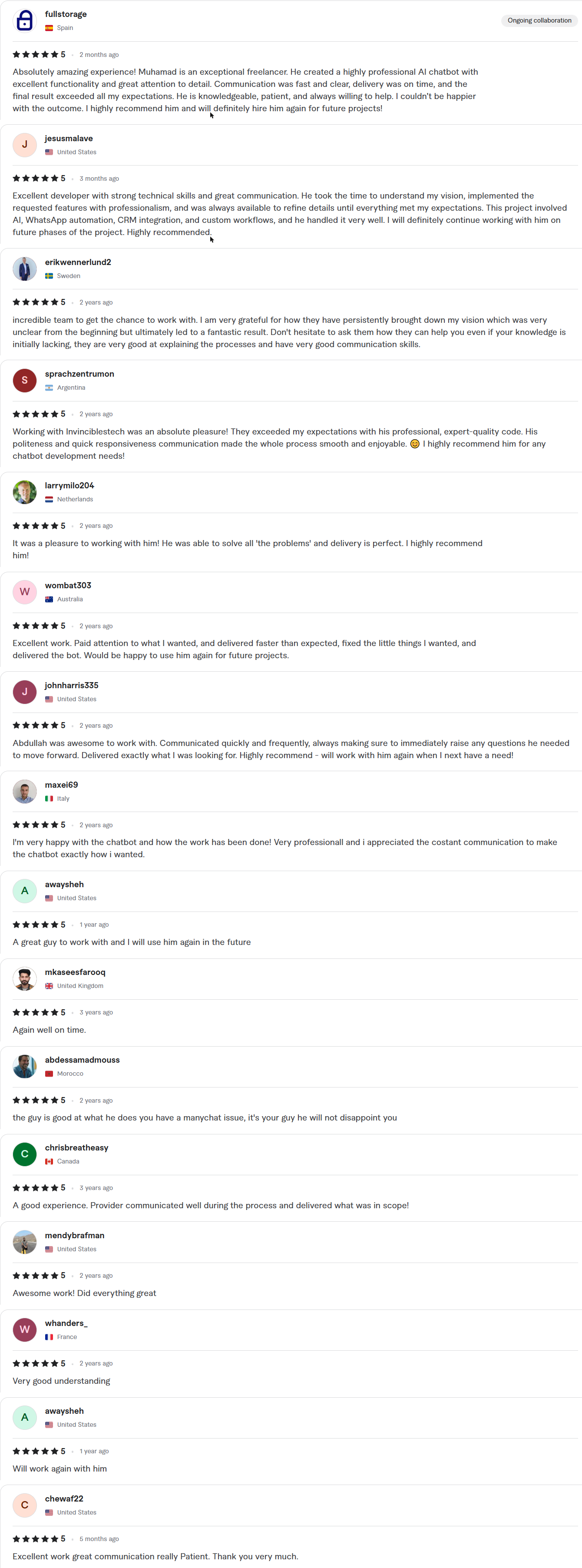
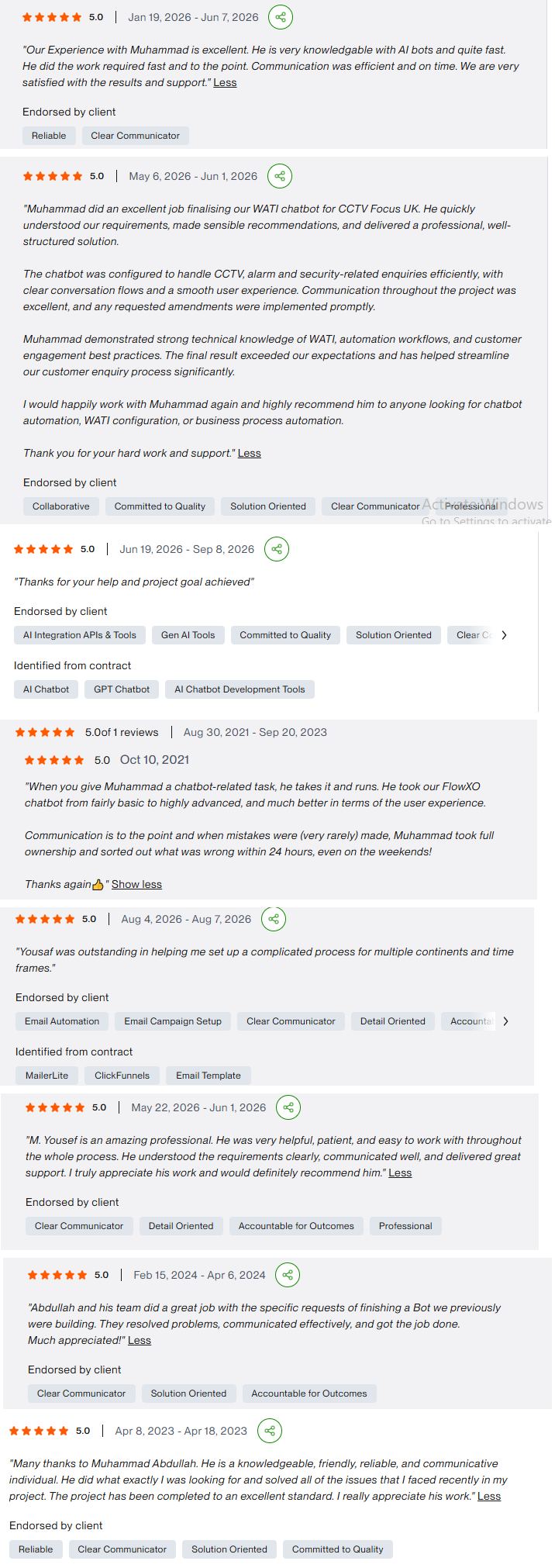
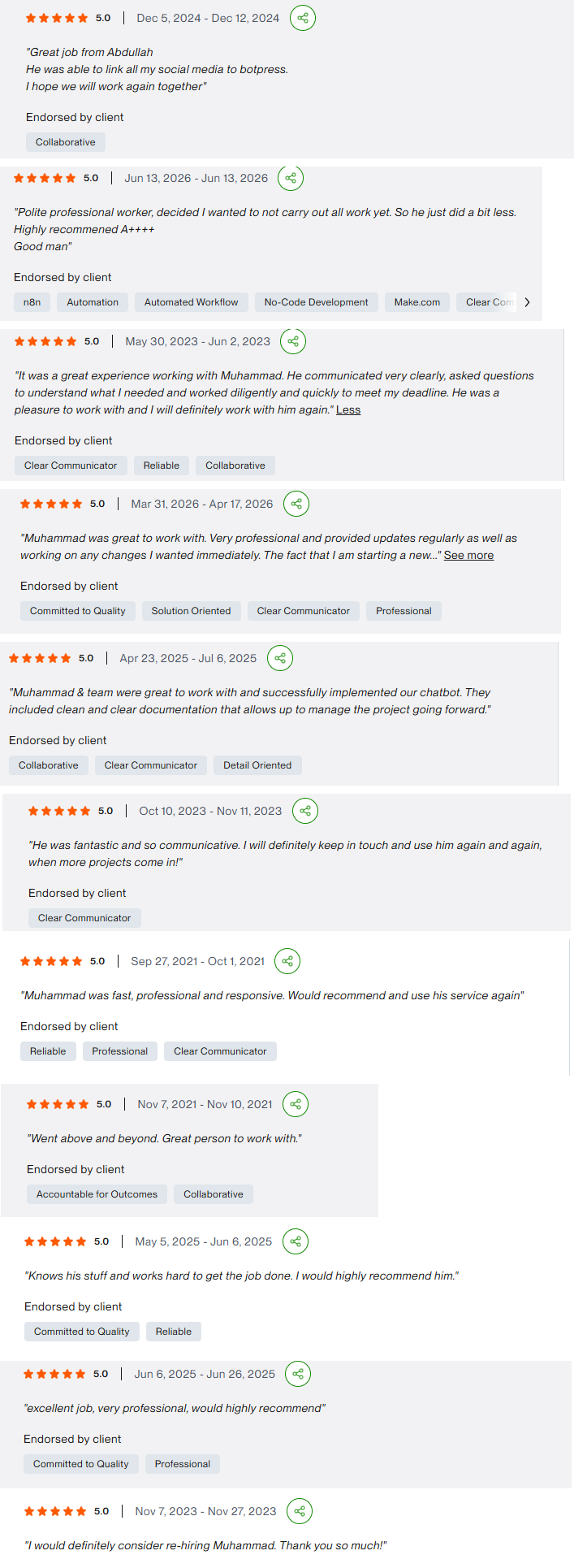
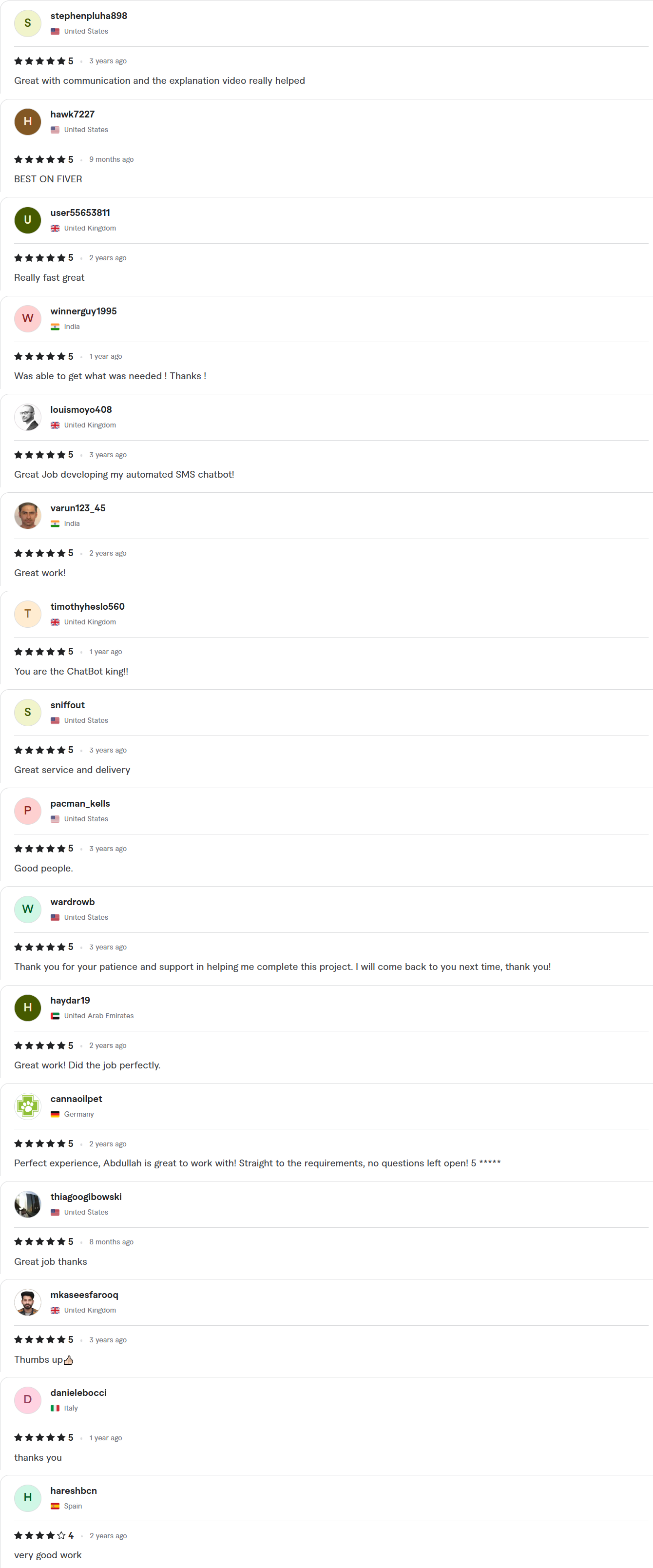
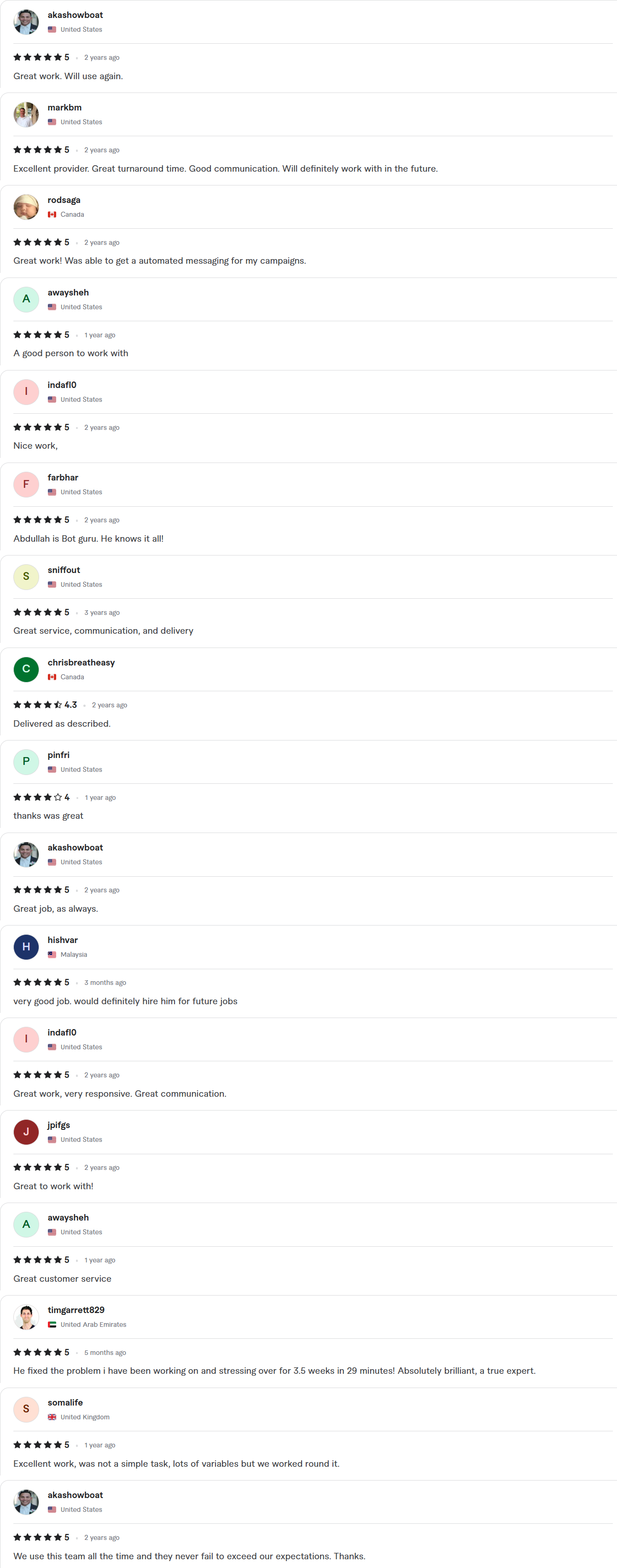
Client Reviews
5.0 average rating on Upwork and Fiverr
Answers, before you book.
Quick answers to the questions we hear most from security and CCTV companies.
Does the bot monitor cameras or verify alarms?
No. It collects details, books surveys, raises tickets and sends reminders. Monitoring, alarm verification and dispatch stay with your own people and systems, and the bot says so if asked.
Can it quote an install?
Not unless you decide it should share a published figure. By default it collects the site type, areas and existing equipment and books a survey, so your surveyor prices the job after seeing the site.
Will customers share passwords or footage in the chat?
No. The bot is built never to ask for passwords, access codes or footage, and tells customers to use your secure channel if they offer them.
What happens with an urgent fault or an emergency?
You set the rules for what counts as urgent. Those requests go to the on-call engineer at once with the details collected. If someone describes an emergency, the bot directs them to emergency services.
Do I need to replace my CRM or helpdesk?
No. It works with the tools you already use where they offer an interface, and with your existing channels such as website, WhatsApp and phone. A CRM is added only if you want one.