Airtable Automation Development
Airtable bases that run the busywork for you.
We connect Airtable to your forms, CRM, email and finance tools, and automate what happens when a record changes, so your base stays accurate without manual updates.
Why Choose GetAIChatBots for Airtable Automation
Airtable is where many teams keep leads, projects, content and inventory, and it has built-in automations for simple jobs. When the job crosses into other tools or needs more logic, GetAIChatBots builds the integrations: Airtable with your forms, CRM, email, Slack and billing, using Airtable automations, n8n, Make or Zapier, whichever fits.
The base is only as good as its last update.
Records are typed in by hand, copied between tools and updated when someone remembers. Statuses drift, duplicates appear and the team stops trusting the data. The base was meant to save time, and it quietly became another chore. We treat the base like a product: stable field names, a test copy and written rules keep the automations working.
- Records updated by hand
- Data copied between Airtable and other tools
- Statuses nobody trusts any more
Three steps from messy base to automatic updates.
Review the base
We look at your tables, fields and views, and at how data gets in and out today.
A short call and a look at the base show which updates happen by hand and which tools hold the same data. We note field names, owners and the rules behind each status.
- Tables, fields and owners reviewed
- Manual updates listed
- Jobs ranked by hours saved
Build and test
We build the automations on a test copy of the base with real sample records.
Each automation is tested with missing fields, duplicates and edits made in a hurry. We use Airtable automations for simple jobs and n8n, Make or Zapier when the work leaves Airtable.
- Tested on a copy of the base
- Duplicate and missing-field handling
- A review before anything goes live
Launch and hand over
The automations go live with alerts when a run fails and a short written guide.
We watch the first runs and fix anything unexpected. Your team learns where the automations live and how to switch them off or change them.
- Failure alerts to Slack or email
- Run history to review
- A written guide and a Loom walkthrough
What we build for Airtable.
Forms and leads into Airtable
New form entries and leads land in the right table, cleaned and linked to the right records.
- Web forms and ad leads
- Duplicate checks
- Links to existing records
Two-way sync with your CRM
Records stay in step between Airtable and your CRM, so nobody edits the same data twice.
- GoHighLevel, HubSpot and others
- Status changes both ways
- Conflict rules written down
Status changes that trigger actions
When a record moves to a new status, emails, tasks and messages go out by themselves.
- Emails and Slack messages
- Tasks created for owners
- Reminders when nothing happens
Scheduled reports and summaries
Weekly and monthly numbers are pulled from the base and sent to the people who need them.
- Charts and tables by email
- AI summaries of the week
- Alerts on overdue records
Scripts where automations stop
When a built-in automation is not enough, a small script handles the logic and stays readable.
- Data cleanup scripts
- Calls to outside APIs
- Commented for your team
Alerts, logs and a written handover
You always know what ran and what failed, and your team gets it all written down.
- Alerts that name the failing step
- Run history to review
- Handover document
Airtable workflows we build.
Four typical Airtable workflows. Open our case studies to see real projects.
See what we have built.
Real projects, with the tools we used and the results.
Airtable automations that keep running when the base changes
The usual cause of a broken Airtable automation is a renamed field or a changed view. We keep field names stable, test automations on a copy of the base, add error handling and retries to the steps outside Airtable, and send alerts that name the failing step and the record. Credentials stay in your own accounts, so the work can always be handed back.
Book a Call ↗When Airtable automation is the right choice, and when it is not.
Airtable combines a spreadsheet, a database and built-in automations, so it suits teams that want to see and edit their data. The built-in automations handle simple jobs well, and an outside workflow tool takes over when data has to move between many systems or needs more logic.
Choose Airtable automation when
Your team already lives in Airtable and needs it connected to forms, a CRM, email or billing.
Choose something else when
You need a full custom application or very large data volumes. A custom build or a CRM may fit better, and we will say so.
Works with your stack.
We connect Airtable through its own automations, n8n, Make, Zapier and Pabbly. Here is where each one fits.
Book a Call →Airtable automations or an outside workflow tool?
A short, honest view. We build on all three, so we recommend the one that fits.
Airtable automations
Triggers and actions built into Airtable, set up inside your base.
- Quick to set up
- Lives next to the data
- Best for simple, single-base jobs
Outside workflow tools
n8n, Make or Zapier link Airtable to the rest of your stack.
- Many systems in one flow
- Retries, branches and alerts
- Best when data leaves Airtable
Connects to the apps you already use.
Airtable connects to your forms, CRM, email and finance tools, and any app with an API can be added.
Where Airtable automation fits best.
Airtable automation pays off where teams track many records, such as real estate, hotel management, travel agencies and restaurants.
Airtable automation built around how your team works.
Choosing an Airtable partner comes down to trust: will the base stay tidy, and will your team understand the automations? We work remotely with teams across the United States and worldwide, from our Austin, TX and Pakistan offices.
Base review before building
We study your tables and fields first, so automations match how the data is used.
Built for your team to own
Stable field names, simple automations and a written guide, in your own Airtable account.
Monitored after launch
Alerts reach Slack or email, and a monthly support plan is available.
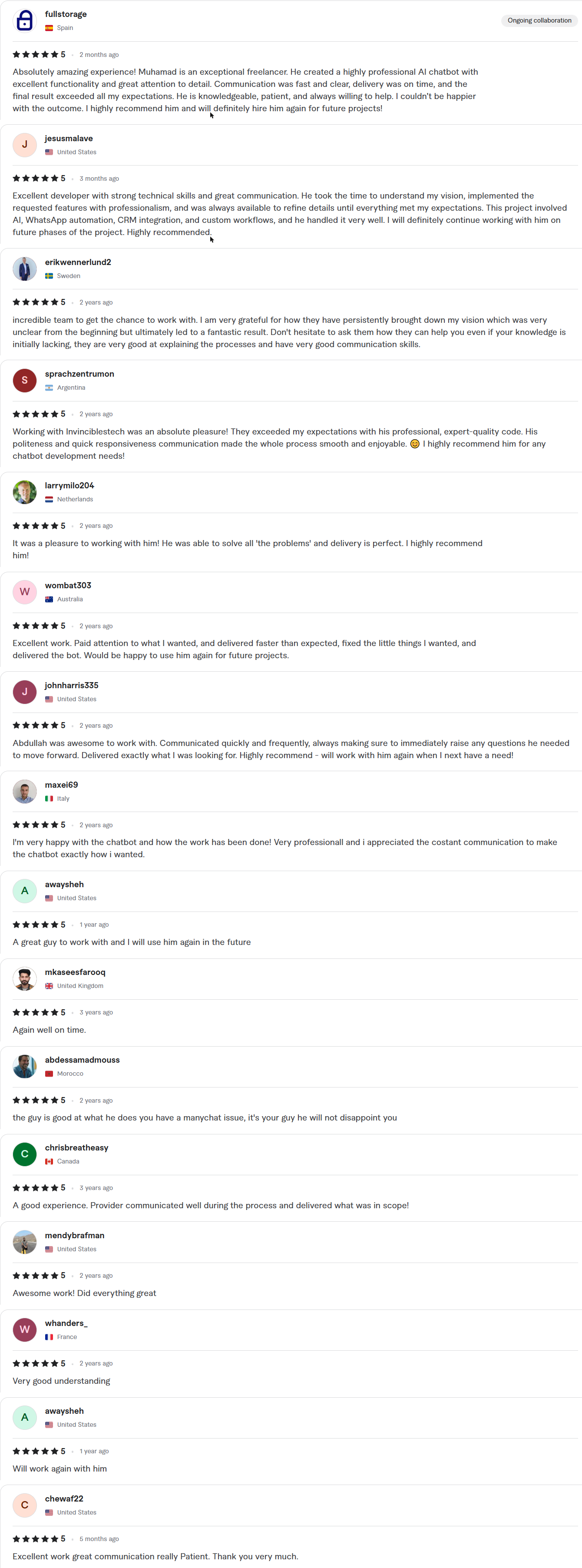
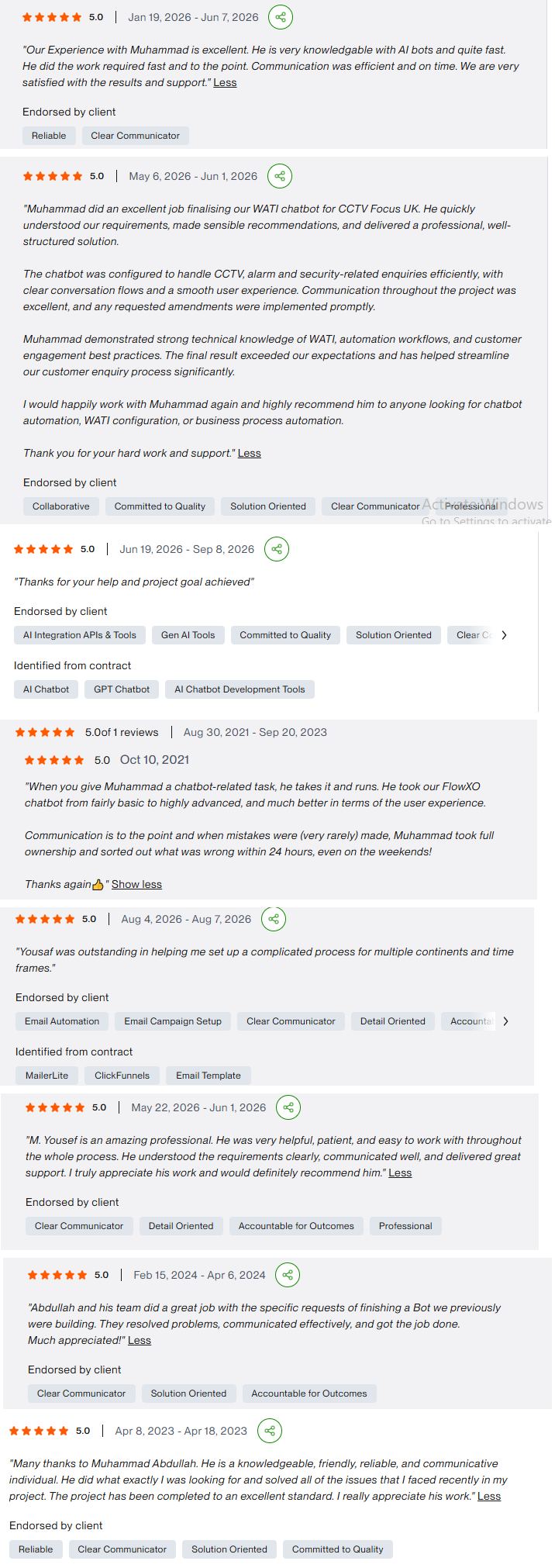
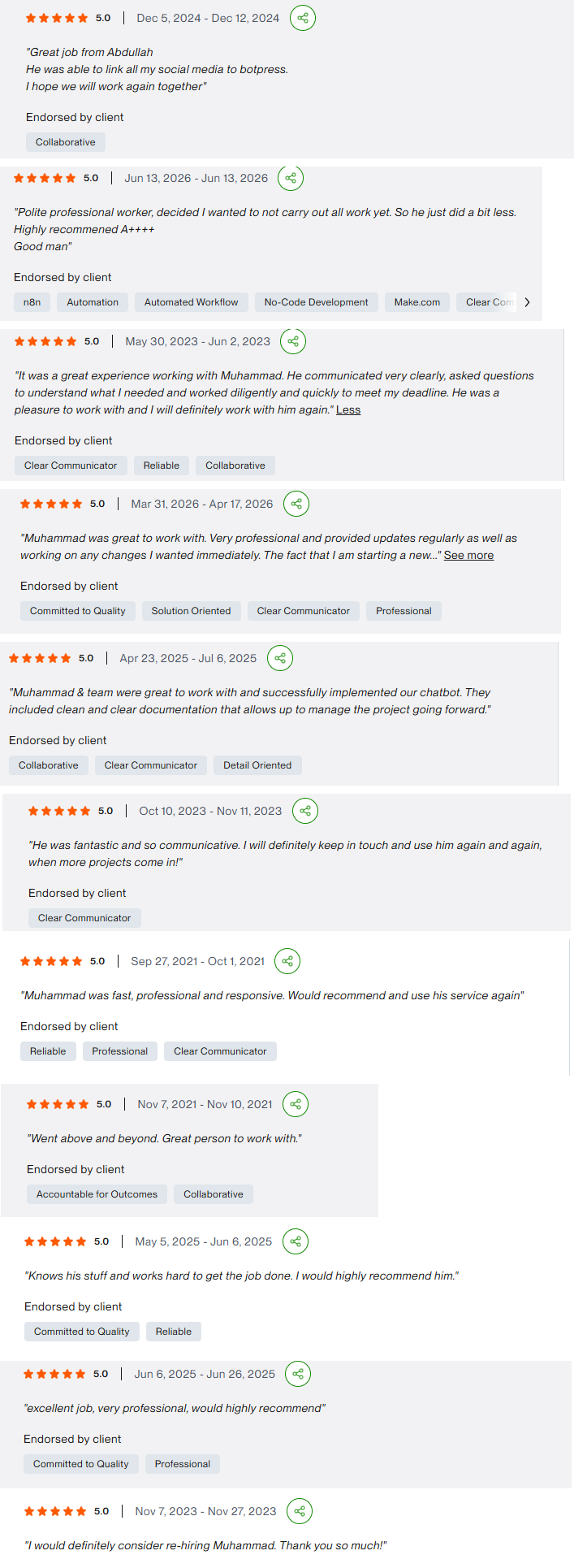
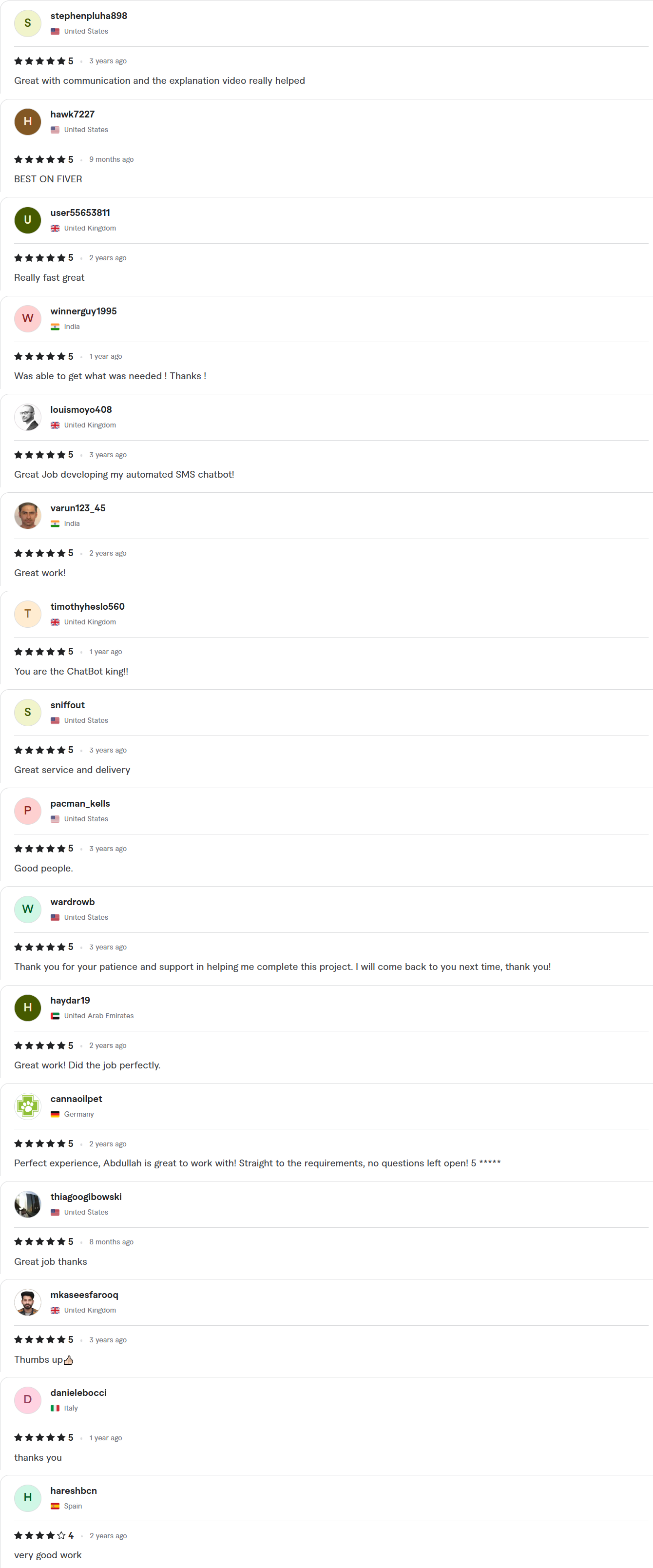
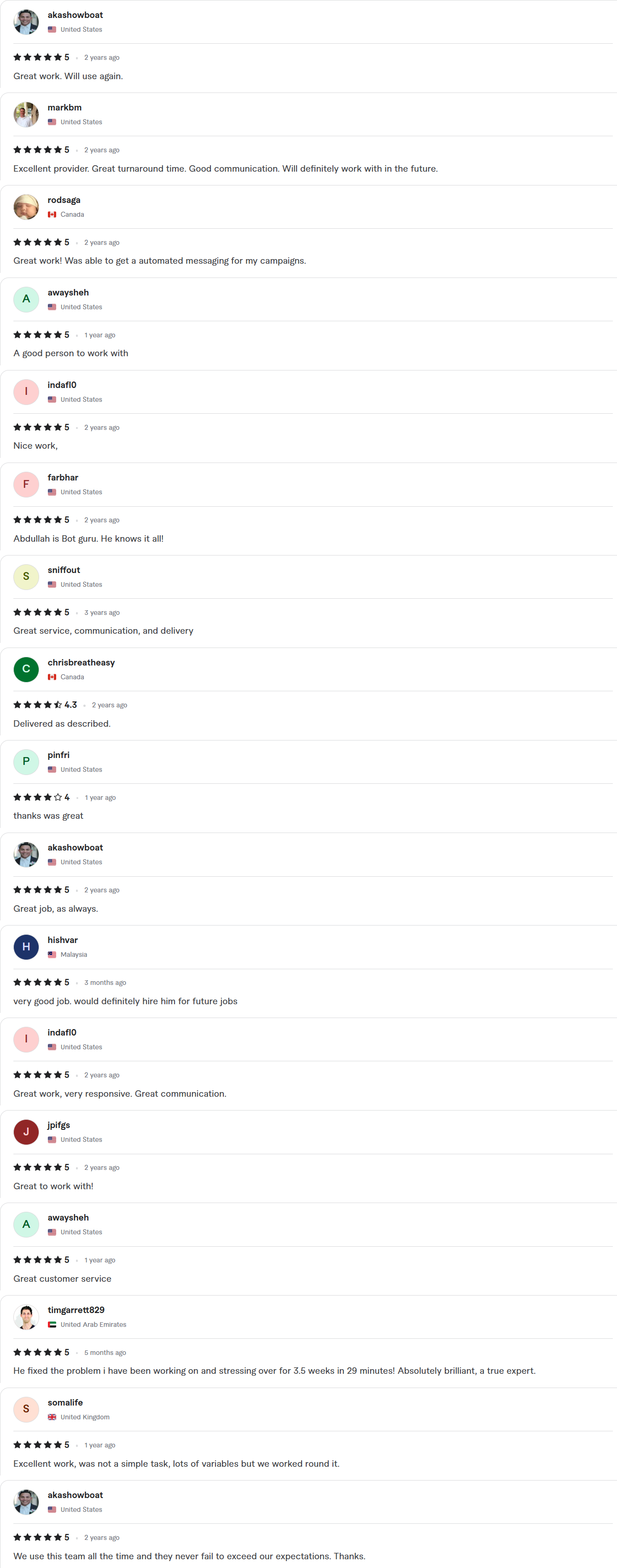
Client Reviews
5.0 average rating on Upwork and Fiverr
Answers, before you book.
Quick answers to the questions we hear most about Airtable automation.
Do I need more than the built-in Airtable automations?
Often not. The built-in automations handle simple jobs. We add n8n, Make or Zapier when data has to move between many systems, or when you need more logic, retries and alerts.
How fast can you ship?
Starter builds take 7–10 days, Growth builds 14 days and Enterprise builds about 30. The exact timeline is written into your fixed-scope quote, which arrives within 24 hours of your call.
Whose account is the work done in?
Yours. We work inside your own accounts with delegated access, and credentials stay in your workspace. You get a full handover, with documentation and a Loom walkthrough, when the project closes.
Can you connect Airtable to our CRM?
Yes. We sync records both ways with GoHighLevel, HubSpot, Zoho, Salesforce and others, with written rules for conflicts.
Will our existing base keep working?
Yes. We build on a copy first and keep field names stable, so your views and forms keep working when the automations go live.