AI, Automation & Software for Call Centers
Handle the volume, keep your people for the hard calls.
Contact centers and BPO teams lose time to repetitive calls, after-call typing and reports built by hand. We build the chatbots, voice agents, automations and software that take the routine contacts, keep your CRM and tickets in sync and give your human agents context on every handover.
Why Choose GetAIChatBots for Call Centers Businesses
Contact centers are measured on queues, handling time and resolution, and all three suffer when routine contacts take up the seats. GetAIChatBots builds the chatbots, voice agents, automations, CRMs and custom software that take the routine volume, log every call and keep your human agents on the contacts that need them. We work remotely with contact centers and BPO teams across the United States and worldwide.
Peaks, repeat questions and after-call work cost capacity.
Call volume swings by hour and campaign, but headcount does not. Routine questions take up seats, notes are typed again after every call, and reports and client updates are built by hand from several tools.
The fix is rarely one tool. It is the right mix: a chatbot or voice agent that takes the routine contacts, automation that logs and follows up on every call, and software where off-the-shelf stops fitting.
- Long queues at peak hours
- Notes and tickets typed in more than once
- Reports and client updates built by hand
Three steps from audit to launch.
Map your call journey
We follow a contact from first ring to logged outcome.
A short working session maps how calls, chats and tickets move through your operation, and where callers wait and time is lost.
- Phone, chat and tools reviewed
- Call reasons ranked by volume
- Quick wins agreed first
Build the right mix
Chatbots, voice agents, automation, CRM or software.
We build in short cycles with a demo each week, starting with the change that frees the most capacity.
- Weekly demos
- Connected to your phone system and CRM
- Fixed scope in writing
Run and improve
We monitor, report and keep improving.
Each workflow and AI agent is monitored, with alerts and a regular review of real calls and what is working.
- Monitoring and alerts
- Regular reporting
- Handover and training
How we help call centers
Six services, one team. Choose one to see how it works for call centers.
AI Chatbots
Chatbots on your website, WhatsApp and SMS that take the repeat questions first, so your human agents can handle the contacts that need them.
- Deflect repeat questions
- Schedule callbacks
- Collect details before handover
- Hand over with context
AI Agents
AI voice agents that complete routine calls, cover the peaks and pass the rest to your people with a summary.
- Overflow and after-hours calls
- First-line call handling
- Warm transfer with a summary
- Outbound reminders and callbacks
Business Automation
Workflows that remove the after-call typing and the hand-built reports between your phones, CRM and tickets.
- Call logging and ticket sync
- Callbacks and reminder campaigns
- Summaries and QA sampling
- Reporting and workforce data
CRM Development
A CRM shaped around contacts, cases and clients instead of a generic sales pipeline.
- Case flows that fit
- Stage-based follow-up
- Routing and reminders
- Reports and clean-up
Full Stack / SaaS
Custom software for when off-the-shelf reporting and knowledge tools stop fitting how your operation works.
- Live operations dashboard
- Client reporting portal
- Agent knowledge tool
- Integrations
Advisory & Growth
Clear advice before you build: which calls to automate, what to fix and what to leave with people.
- AI roadmap
- Security review
- Product scoping
- UX audit
One team for the whole contact
Call center work is lost in the gaps: the caller who repeats their story, the note typed after the call, the report built on Friday night. We build the chatbot, the voice agent, the automation and the CRM as one connected system, so a call, a chat and a ticket all end up in one customer record. Anything unusual moves to a human agent immediately, with the context attached.
Book a Call ↗From first ring to reported outcome, handled.
We build six kinds of service for call centers: chatbots, voice agents, automation, CRM development, custom software and advisory. They can be bought one at a time, and they are designed to work together.
What gets built first
Whatever frees the most capacity: usually the repeat questions, overflow and after-hours calls, and the after-call logging.
Where people stay in charge
Complaints, disputes, exceptions and anything that needs discretion. Systems handle the repetitive steps and hand over with the full history.
Works with your stack.
We connect everything to your phone system, CRM and ticketing tools, and recommend the platform that fits how your team works.
Book a Call →Why Choose GetAIChatBots for Call Centers Chatbots
A call center chatbot answers the repetitive questions on your website, WhatsApp and SMS the moment they arrive, offers a callback when the queue is long and hands everything else to a human agent with the details already collected. GetAIChatBots builds chatbots and voice agents for contact centers and BPO teams, connected to the CRM and ticket system you already use. We work remotely with clients across the US and worldwide, so routine questions stop competing with real problems for a seat.
Every repeat question holds a seat.
A large share of contacts are the same few questions: where is my order, what are your hours, how do I reset this. Each one ties up a human agent for minutes, while the caller with a real problem waits in the queue and gets more frustrated.
A chatbot answers the repetitive questions first, offers a callback when the queue is long and passes everything else to a person with the details already collected.
- Repeat questions filling the queue
- Callers giving up after a long wait
- Human agents re-asking for basic details
Three steps from chat to launch.
Pick what to deflect
We list your most common contact reasons and choose the ones with a clear, safe answer.
Together we rank contact reasons by volume and pick the routine ones. Each gets approved wording and a rule for when a person takes over.
- Contact reasons ranked by volume
- Approved answers written
- Handoff rules set per topic
Connect channels and data
The chatbot goes onto your website, WhatsApp or SMS and links to your CRM or ticket system.
Where your system offers an interface, the chatbot can look up a customer record, answer from approved content and create a ticket or a callback request.
- Channels set up and tested
- CRM or ticket system linked
- Callback scheduling connected
Hand over and tune
Complex cases go to a human agent with context, and real chats are reviewed to improve the answers.
Every handoff carries the conversation and the details collected. We review the chats that failed first and update the answers and the rules.
- Handoff with the full conversation
- Failed chats reviewed first
- Answers and rules updated
What you get.
Website chat for repeat questions
The common questions are answered before anyone picks up the phone.
- Answers from approved content
- Order, policy and how-to questions
- Handover when unsure
WhatsApp and SMS support flow
Customers get help on the channel they prefer.
- Short support chat
- Status and confirmation texts
- Opt-out handled
Callback scheduling
Customers keep their place without waiting on hold.
- Callback slots offered
- Topic and number attached
- Reminder before the call
Details collected before handover
Human agents start with the story, not with questions.
- Name and reference captured
- Reason for contact recorded
- Full transcript passed on
Tickets and records synced to your system
Every chat leaves a record where your team works.
- Ticket or case created
- Conversation attached to the customer
- Status kept up to date
Knowledge answers with sources
Answers come from your content, not from guesses.
- Retrieval from your own documents
- Content kept up to date
- Topics you exclude stay with people
What AI chatbots do for call centers
Chatbots on your website, WhatsApp and SMS that take the repeat questions first, so your human agents can handle the contacts that need them.
Deflect repeat questions
Order status, opening hours, policy and how-to questions answered from content you approve, before they turn into calls.
Schedule callbacks
Customers facing a long queue book a callback with the topic attached, and no longer wait on hold.
Collect details before handover
Name, account reference and the reason for contact gathered in chat, so the human agent starts informed.
Hand over with context
Anything the chatbot cannot resolve goes to a person with the full conversation, so nobody repeats the story.
A chatbot that knows when to hand over to a person
The rules for handover are yours, not ours. You decide which topics the chatbot may answer and which always go to a human agent, such as complaints, disputes and anything involving a vulnerable customer, and the bot follows them every time. When it hands over, the conversation and the details collected go with it, so the customer is never asked to start again. It answers only from content you approve, and it offers a person whenever the customer asks or the conversation stalls.
Book a Call ↗Answer first, collect the details, and keep the queue short.
A call center chatbot is an assistant on your website and messaging apps that picks up the routine questions before they become calls. It asks what a good first-line colleague would ask, records the answers against the customer and hands over with context. A voice agent does the same for phone calls, so customers still ring the same number. For a busy contact center it works as extra first-line capacity that does not need a break and always writes the contact down.
What the bot handles
Repeat questions, order and policy status, callback scheduling, detail collection before handover and follow-up texts.
Where people stay in charge
Complaints, disputes, exceptions and anything that needs judgment. The bot hands the contact over with the full conversation.
Works with your stack.
It works with your existing website and messaging channels. We connect your CRM or ticket system where it offers an interface, and other tools through automation.
Book a Call →The channels call center customers actually use.
Most contact centers field calls first and chats and texts alongside. We cover the channels below so a customer who follows up on WhatsApp or the website is recognised and continues the same case.
Why Choose GetAIChatBots for Call Centers AI Agents
A call center AI agent answers the phone when every seat is busy, understands what the caller wants in their own words and completes simple requests, then transfers anything complex to a human agent with a written summary. GetAIChatBots builds voice and chat AI agents for contact centers and BPO teams, placed inside your existing PBX routing and connected to your CRM. We work remotely with clients across the US and worldwide.
Peaks need people you do not have.
Call volume swings by hour, season and campaign, but headcount does not. Staffing for the peak leaves seats idle the rest of the week, while staffing for the average leaves callers in a queue exactly when they are least patient.
An AI voice agent answers every call, finishes the routine ones and passes the rest to a human agent with a summary, so your people spend their time on calls that need judgment.
- Long queues at peak hours
- Skilled human agents stuck on scripted calls
- High turnover and constant retraining
Three steps for AI agents in call centers.
Pick the call types
We list your call reasons and choose the routine ones an AI agent can finish on its own.
We analyse your call reasons by volume and complexity. Each call type gets approved answers and clear rules for when a human agent takes over.
- Call reasons ranked by volume
- Routine calls chosen first
- Handoff rules written per call type
Connect phone and systems
The AI agent sits inside your PBX routing over SIP and links to your CRM and knowledge sources.
It can look up a customer where your CRM offers an interface, answer from approved content and log the call. Test calls run before go-live.
- SIP routing inside your PBX
- CRM and knowledge sources linked
- Test calls before go-live
Measure and tune
Resolution, handoff and caller feedback are reported each week, and the flow is tuned on real calls.
The worst calls are reviewed first and the script and rules are updated. You see handoff reasons, so you know what to automate next.
- Weekly performance report
- Failed calls reviewed first
- Rules and script updated
What you get.
Inbound call answering
Routine calls are picked up on the first ring, at peak and overnight.
- Greeting in your brand’s voice
- Common requests completed on the call
- Callers asking for a person transferred
Overflow and after-hours coverage
Calls beyond your seats or your opening hours do not go unanswered.
- Overflow when the queue is full
- After-hours calls handled and logged
- Callback booked when a person is needed
Natural-language routing
Callers say what they need instead of pressing numbers.
- Intent detection from speech
- Routing to the right queue or skill
- Fewer wrong transfers
Warm transfer with a summary
Human agents pick up already knowing the story.
- Short summary before the transfer
- Customer details attached
- No repeated questions
Answers from approved content
Policies and knowledge articles become accurate spoken answers.
- Retrieval from your own documents
- Content kept up to date
- Handover to a person when unsure
Call summaries in your CRM
Every call ends with a clear record.
- Summary and outcome saved
- Recording and transcript linked where permitted
- Follow-up tasks created
What AI agents do for call centers
AI voice agents that complete routine calls, cover the peaks and pass the rest to your people with a summary.
Overflow and after-hours calls
Calls beyond your seats or outside opening hours are answered and logged, with a callback booked when a person is needed.
First-line call handling
Status checks, policy questions and appointment changes completed on the call, using answers you approved.
Warm transfer with a summary
Calls that need judgment move to a human agent with the reason and the customer details already captured.
Outbound reminders and callbacks
Reminder and callback calls to the lists you provide, with consent and opt-out rules built into each flow.
An AI agent that knows when to hand the call to a person
In a call center the cost of a bad automation is a frustrated caller, so we design the exit as carefully as the script. The AI agent keeps to the call types you approved, offers a person whenever the caller asks or the conversation stalls, and passes the caller on with a summary so nobody repeats their story. Calls are logged and scored, outbound calling is built around the consent and calling rules you give us, and recording notices are configured to follow your policies. You decide the escalation triggers, and we review transcripts with you each week.
Book a Call ↗Let the AI agent take the script, and your human agents take the judgment.
A call center AI agent is software that answers the phone, understands what the caller wants in natural language and completes simple requests, then transfers anything complex to a person. Unlike a touch-tone menu, the caller just says what they need. It works with your existing phone system, so numbers, queues and routing rules stay as they are while the first layer of every call becomes automatic.
What gets automated first
Order and ticket status, opening hours and policy questions, appointment changes, payment-link requests and callback scheduling. These are frequent calls with clear right answers.
Where people stay in charge
Angry or vulnerable callers, disputes, exceptions and anything that needs discretion. The AI agent transfers warm, with the reason and details already captured.
Works with your stack.
We integrate with on-premise and cloud PBX systems over SIP where they allow it, and connect the CRM, ticketing and knowledge tools your human agents already use.
Book a Call →What sits behind a call center AI agent.
A voice agent is more than a script. These are the pieces that make it accurate, reliable and connected to your phones.
Why Choose GetAIChatBots for Call Centers Automation
Call center automation removes the copy-paste between your phone system, CRM, ticketing and reports, so calls are logged once, follow-ups are created on their own and the numbers build themselves. GetAIChatBots builds workflows for contact centers and BPO teams on the platform that fits your stack, and we work with clients across the US and worldwide.
After-call work eats the time between calls.
After every call someone types notes, updates the ticket, schedules the follow-up and flags anything for QA. Reports are pulled by hand from the phone system, the CRM and a spreadsheet, and the client update takes an afternoon to assemble.
Automation connects those tools, so each call is logged once, follow-ups are created on their own, QA samples are queued and the reports build themselves.
- Notes typed again after every call
- Tickets and CRM out of step
- Reports assembled by hand
Three steps for automation in call centers.
Map the call journey
We list every system a call touches and where time is lost after it ends.
A short working session maps your phone system, CRM, ticketing, QA and reporting tools, and picks the handoffs that waste the most time.
- Systems and handoffs mapped
- Manual steps ranked by effort
- Quick wins agreed first
Build and connect
We build the workflows and connect your tools.
Call outcomes flow into your CRM and tickets with the right fields, follow-up tasks go to the right team, and reminder and callback messages run on a schedule. Errors trigger alerts and retries.
- Call logging into your CRM
- Callbacks and reminder messages
- QA sampling and summaries
Monitor and report
You get a weekly report and alerts if anything breaks.
Each workflow is logged and monitored. A weekly report covers volumes, handling and outcomes, and we hand over documentation so your team knows how it works.
- Error alerts, retries and logging
- Weekly report sent automatically
- Handover documentation
What you get.
Call logging into your system
Every call outcome lands in one place.
- Phone system, CRM and tickets connected
- Fields filled and duplicates merged
- Right team notified
Callbacks and reminder campaigns
Outbound contact runs on a schedule, within your rules.
- Callback tasks created automatically
- Reminder messages on a schedule
- Opt-out and consent rules applied
Call summaries and QA sampling
Calls are summarised and a sample is queued for review.
- Summary saved to the record
- Sample picked by your rules
- Scored against your own scorecard
CRM and ticket sync
One record that is always current.
- CRM, ticketing and phone data in step
- Changes pushed through automatically
- Alerts when a sync fails
Reporting and workforce data
The numbers arrive without anyone building them.
- Volume, handling time and outcomes
- Delivered to your inbox or chat
- Breakdown by queue or client
Monitoring and alerts
You hear about a problem before your customers do.
- Error alerts and automatic retries
- Logs for every workflow
- Documentation handed over
What automation does for call centers
Workflows that remove the after-call typing and the hand-built reports between your phones, CRM and tickets.
Call logging and ticket sync
Call outcomes, notes and summaries written to your CRM or ticket system, with no after-call typing.
Callbacks and reminder campaigns
Callback tasks and outbound reminder messages created on a schedule, with opt-out handled.
Summaries and QA sampling
Calls summarised automatically, with a sample queued for review against your own scorecard.
Reporting and workforce data
Volume, handling time and queue data pulled from your tools into one regular report.
Automation that fixes the handoffs, not just the tasks
Most lost time sits between steps: a call outcome waits to be typed in, a callback task never reaches the right team, a client report is rebuilt from three exports. We map the handoffs first, then automate the ones that cost the most time, with error alerts and retries so you know when something breaks. Every workflow is documented and handed over.
Book a Call ↗Log it once, and let the workflow do the rest.
Call center automation connects the tools your team already uses so call outcomes, follow-ups, QA samples and reports move on their own. It handles the repetitive, rule-based work, so your human agents spend their time on callers instead of paperwork.
What gets automated first
Call logging, ticket sync, callbacks and weekly reports. These are frequent, rule-based tasks where a missed step costs a follow-up or a client report.
Where people stay in charge
Quality judgments, escalations and anything that needs discretion. Workflows create the task and the context; your team makes the call.
Works with your stack.
We build on the platform that fits your tools, and connect it to your phone system, CRM, ticketing and reporting tools where they offer an interface.
Book a Call →The right tool for each workflow.
We recommend a platform by what it costs to run and how your team will maintain it, not by habit.
Why Choose GetAIChatBots for Call Centers CRM Development
A CRM built for a call center ties every call, chat and ticket to one customer record instead of treating each contact as new. GetAIChatBots builds and rebuilds CRMs for contact centers and BPO teams on GoHighLevel, HubSpot, Zoho and Salesforce, with clean data, routing by skill or client account and reports you can trust. We work with clients across the US and worldwide.
The history is split across calls, chats and tickets.
Out of the box, most CRMs treat a billing question, a complaint and a callback request the same. The same customer exists three times, human agents ask for details that were given yesterday, and reports show activity instead of what is being resolved.
A CRM built around your process fixes that: the right flows and fields, contacts assigned automatically, one clean record per customer and reports that answer real questions.
- Calls, chats and tickets in separate places
- Duplicate contacts and messy data
- Customers asked the same questions twice
Three steps for CRM development in call centers.
Audit your CRM
We review your flows, fields, data and integrations.
We look at how cases move today, where customer data is duplicated or missing, and which phone, chat and ticket tools feed the CRM.
- Flows and fields reviewed
- Duplicates and gaps identified
- Integrations listed
Rebuild around your process
Flows, fields and automations shaped for your contacts.
Separate flows for inbound support, campaigns and escalations, fields for client account and reason code, routing rules by skill or language and follow-up that matches each stage. Your data is migrated and cleaned.
- Flows for each type of contact
- Routing by skill, language or client
- Migration and clean-up
Report and hand over
Dashboards and training so the team uses it.
Contact-reason and resolution reports show what is working. We train your team and hand over the setup, so you are never locked in.
- Contact and resolution reports
- Team training
- Full handover
What you get.
Case flows for every type of contact
Support, campaigns and escalations each get their own stages.
- Fields for client account and reason code
- Stages that match your process
- A clear owner at every stage
Routing and assignment
Each contact reaches the right person automatically.
- Routing by skill, language or client
- Round-robin or rules you set
- Reminders so no case waits
Follow-up that matches the stage
Messages that change with where a case stands.
- Email, SMS and WhatsApp sequences
- Pauses when a customer replies
- Callback and survey reminders
Data clean-up and migration
Start with one trusted record per customer.
- Duplicates merged
- Spreadsheets and old systems imported
- Fields standardised
Reports that answer questions
See what is being resolved, not just what happened.
- Contact-reason reports
- Resolution and handover reports
- Repeat-contact view
Integrations
The CRM works with the rest of your stack.
- Phone system, forms and ticketing connected
- Chatbots and voice agents write to it
- Custom code where setup cannot reach
What a rebuilt CRM does for call centers
A CRM shaped around contacts, cases and clients instead of a generic sales pipeline.
Case flows that fit
Separate flows for inbound support, outbound campaigns and escalations, with fields such as client account, reason code and case reference.
Stage-based follow-up
Automated messages that change with where each case stands, with a pause when the customer replies.
Routing and reminders
Contacts routed by skill, language or client account, with reminders so no case waits.
Reports and clean-up
Contact-reason and resolution reports, plus migration and clean-up from spreadsheets or an old system.
A CRM your human agents will actually keep open
CRMs fail when they ask the team to do extra work. We keep the flow short, fill fields automatically from your calls, chats and tickets, and put the next action in front of the person who owns the case. Your data is yours: we hand over the setup, documentation and access, and we never lock you in.
Book a Call ↗One record per customer, and a next step for every case.
A call center CRM keeps customers, cases and past conversations together across phone, chat and tickets, so any human agent can see where a case stands and what to do next. A rebuilt CRM removes duplicate data and manual routing.
What gets built first
Case flows, fields, routing and the clean-up of existing data. These give the biggest gain before any extra automation is added.
Where people stay in charge
Judgment calls, escalations and the customer relationship. The CRM supplies the history and the reminders; your team supplies the decisions.
Works with your stack.
We work on the CRM you already use, or help you choose one, and connect it to your phone system, forms, ticketing and chatbots.
Book a Call →The CRM that fits your operation.
We build on the CRM you already have, or recommend one by team size, budget and how much customisation you need.
Why Choose GetAIChatBots for Call Centers Custom Software
Custom software fits when off-the-shelf tools stop matching how your operation works: a live queue dashboard for supervisors, a reporting portal for each client, or a knowledge tool that gives your human agents the current answer. GetAIChatBots builds these for contact centers and BPO teams, with the code in your own organisation, and we work with clients across the US and worldwide.
Off-the-shelf tools stop fitting how you operate.
Supervisors read the queue from one screen and the CRM from another. Client reports are rebuilt in spreadsheets, and human agents hunt through shared documents for the current answer while the caller waits.
Custom software puts these in one place, on your own data and under your brand, connected to your phone system, CRM and ticketing.
- Supervisors switching between several screens
- Client reports rebuilt in spreadsheets
- Outdated answers in shared documents
Three steps for custom software in call centers.
Scope the product
We agree what to build first and what it will do.
A short scoping phase turns your workflow into screens, data and a fixed plan, so you know the scope and cost in writing before any build starts.
- Users and journeys defined
- Features ranked
- Fixed scope in writing
Build in weekly steps
Senior engineers ship working versions every week.
Data connections, dashboards, accounts and permissions are built in short cycles with a demo each week. Your phone system, CRM and ticketing are connected through APIs where they offer them.
- Weekly demos
- Accounts and permissions
- Phone, CRM and ticket integrations
Launch and hand over
It goes live with the code in your organisation.
We deploy, test and hand over the code and documentation, and stay on for support if you want it.
- Deployment and testing
- Code in your organisation
- Documentation and support options
What you get.
Live operations dashboard
The whole floor in one view.
- Queue, wait and handling time together
- Workload by team and shift
- Alerts you define
Client reporting portal
Clients see their own numbers under your brand.
- One login per client
- Volumes, outcomes and trends
- Role-based access
Agent knowledge tool
Human agents find the current answer fast.
- Search across approved content
- Source shown with each answer
- Updates by your content owners
Integrations and APIs
Data that flows both ways.
- Phone system, CRM and ticketing connected
- Webhooks and custom endpoints
- Scheduled data refresh
Accounts and permissions
The right people see the right data.
- Roles for supervisors, clients and staff
- Audit trail of access
- Single sign-on where supported
Support after launch
Someone stays on when you want it.
- Monitoring and fixes
- Weekly or monthly retainers
- Embedded engineer option
What custom software does for call centers
Custom software for when off-the-shelf reporting and knowledge tools stop fitting how your operation works.
Live operations dashboard
Queue, wait time, handling and workload in one view for supervisors, built on your own call and ticket data.
Client reporting portal
Each client sees its own volumes and outcomes under your brand, with role-based access.
Agent knowledge tool
Human agents search approved answers and scripts in one place, with the source shown.
Integrations
API connections to your phone system, CRM and ticketing, so data flows both ways.
Software that matches your operation, not the other way round
We start with a short scoping phase that turns your workflow into screens, data and a fixed plan, so you know the scope and cost in writing before any build starts. Senior engineers then ship working versions every week, connect your phone system, CRM and ticketing through APIs and hand over the code and documentation.
Book a Call ↗Your dashboards, your data, your code.
Custom call center software is a web app built around your queues, clients and team, instead of a stack of exports and spreadsheets. It can replace screen-switching and hand-built reports with one place for live operations, client reporting and agent knowledge.
What gets built first
The part that removes the most friction: usually the live dashboard, the client reporting portal or the knowledge tool. We ship that first, then add to it.
Where people stay in charge
Coaching, quality judgments and client relationships. The software handles the data and the process; your team handles the people.
Works with your stack.
We connect the app to your phone system, CRM and ticketing, and host it in your own accounts.
Book a Call →The pieces of a call center platform.
Pick one to start. They are built to work together when you add the next.
Why Choose GetAIChatBots for Call Centers Advisory
Advisory means a plan before a purchase. GetAIChatBots helps contact centers and BPO teams decide which call reasons to automate, review how caller data moves through their tools, scope a build before it starts and audit the caller journey across menu, chat and callback. We work with clients across the US and worldwide.
Many teams automate before they know what to automate.
Voice agents, chatbots and automations are easy to buy and hard to place. Without a plan, teams automate the wrong calls, move caller data through places nobody has reviewed and build before the problem is clear.
A short advisory engagement shows which call reasons are safe to automate, which belong with people and what to build first, before you commit.
- Automating calls that need judgment
- Caller data moving through unreviewed tools
- Builds started before the scope is clear
Three steps for advisory in call centers.
Audit the call mix
We review your call reasons, channels and handoffs.
We look at volumes by reason, how contacts move between phone, chat and tickets, and where callers wait or drop out.
- Call reasons and channels reviewed
- Drop-off points found
- Data flows traced
Score and prioritise
Each idea is scored on return, risk and effort.
You see which calls pay off fastest to automate, which carry risk and which should stay with people, including a review of how caller data is handled.
- Return and risk scored
- Security review of data handling
- Scope and UX checks
Agree the next step
A named next step you can act on.
You leave with a roadmap any team can deliver. We can build it, support your own team or stay on as a monthly advisor.
- Roadmap in writing
- Next step named
- Optional monthly advisory
What you get.
AI opportunity audit
See which calls are worth automating.
- Call reasons, channels and handoffs reviewed
- Opportunities scored by return, risk and effort
- A ranked list of what to do first
Roadmap
A plan any team can deliver.
- Phased steps and owners
- Platforms recommended
- Cost and timing outlined
Security review
Know where caller data goes.
- Data flows traced across tools
- Access, recordings and logging checked
- Prioritised list of fixes
Product scoping
A fixed scope before a build starts.
- Users and journeys defined
- Features ranked
- Scope and cost in writing
UX audit
The caller journey, end to end.
- Drop-off points found
- Clear fixes with examples
- Quick wins first
Ongoing advisory
A senior partner on call.
- Monthly sessions
- Vendor and tool reviews
- Support for your own team
What advisory does for call centers
Clear advice before you build: which calls to automate, what to fix and what to leave with people.
AI roadmap
Which call reasons to automate first, ranked by volume, risk and effort.
Security review
How caller data, recordings and transcripts move through your phone system, AI tools and CRM, with a prioritised list of fixes.
Product scoping
A fixed scope for a dashboard or knowledge tool before any build starts.
UX audit
The caller journey across menu, chat and callback reviewed, with clear fixes.
Advice that ends in a named next step
Many teams buy tools before they have a plan, and end up automating the wrong calls and moving caller data through systems nobody has reviewed. An advisory engagement ranks the opportunities, checks the risks and leaves you with a roadmap in writing, whether we build it, your team does or someone else does.
Book a Call ↗Decide first, then build.
Call center advisory is a short, structured review of how your operation handles calls, channels and tools, so you invest in the changes that pay off fastest and keep the sensitive calls with people.
What gets reviewed first
The call mix by reason, the tools in between and where caller data goes. This shows which calls are safe to automate and where a small change gives the biggest gain.
Where people stay in charge
The decisions. We give you scored options and a recommendation; you choose what to fund and when.
Works with your stack.
We review the tools you already use and recommend changes by effort, risk and return.
Book a Call →Five ways we help you decide.
Each can be bought on its own or combined into one roadmap.
A knowledge base over 10k docs as an embedded widget
A cybersecurity SaaS wanted customers to get answers from its documentation without opening a ticket. We built a RAG-powered chat over its full doc corpus, embeddable in any customer portal: 10k+ documents indexed, answers in under two seconds on average and 65% of support questions deflected. A different industry, and chat rather than phone, but the same pattern a call center needs: routine questions answered by software from approved content, so human agents handle the rest.
Call center technology built around your queues.
Choosing a technology partner comes down to risk: will it improve the numbers you are measured on, and will it fail safely? We work remotely with contact centers across the United States, from our Austin, TX and Pakistan offices.
Start with the easy calls
We rank your call reasons by volume and complexity and automate the safest ones first, so you see results before widening scope.
- Handoff rules written in your words
- Tested on real examples first
Fails safely
If the system is unsure, the caller asks or a rule triggers, the contact goes to a person with context.
- Works with your phone system and CRM
- No new number for customers
Reported every week
You see what was resolved and what was handed over, and we adjust based on real calls.
- Summary and details attached
- Customers never repeat themselves
Call center chatbots built around your queues.
Choosing a chatbot provider comes down to risk: will it improve the numbers you are measured on, and will it fail safely? We work remotely with contact centers across the United States, from our Austin, TX and Pakistan offices.
Start with the easy questions
We rank your contact reasons by volume and complexity and automate the safest ones first, then widen scope as the results come in.
- Approved answers and handoff rules
- Tested on real examples first
Fails safely
If the bot is unsure, the customer asks or a rule triggers, the chat goes to a person with the transcript. Nothing is left in a dead end.
- Works with your site and channels
- Same journey for customers
Your content, your rules
Answers come only from content you approve, and the topics that always go to a person are set by you and tested before launch.
- Transcript and details attached
- Handoff with the full conversation
What we need from you to begin.
A 30-minute call, a fixed-scope quote within 24 hours, then kickoff. This is what helps us move quickly.
Your contact reasons
The most common questions, and which ones must always go to a person.
Approved content
Knowledge articles, policies and scripts the chatbot may answer from.
Access to your CRM or tickets
So conversations and callback requests land where your team works.
Your brand voice
A few sample replies, so the chatbot sounds like your company.
Call center voice agents built around your queues.
Choosing a voice agent comes down to risk: will it improve the numbers you are measured on, and will it fail safely? We work remotely with contact centers across the United States, from our Austin, TX and Pakistan offices.
Start with the easy calls
We rank your call reasons by volume and complexity and automate the safest ones first, so you see results before widening scope.
- Call flow written in your voice
- Answers drawn from approved content
Fails safely
If the AI agent is unsure, the caller asks or a rule triggers, the call goes to a person with context. Nothing is left in a dead end.
- Warm transfer with a call summary
- You choose which calls go to a person
Reported every week
You get resolution and handoff figures, and we adjust the script and routing based on real calls rather than guesses.
- Summary and outcome after every call
- Tasks created for follow-up
What we need from you to begin.
A 30-minute call, a fixed-scope quote within 24 hours, then kickoff. This is what helps us move quickly.
Phone system details
Which numbers to answer, the call hours and when to transfer.
Your call reasons
Volumes by reason, and which calls must always go to a person.
Approved content
The knowledge articles and policies the AI agent should answer from.
A named team for handover
Who takes transferred calls, and when.
Call center automation built around your queues.
Choosing an automation partner comes down to risk: will it break, and can your team understand it? We work remotely with contact centers across the United States, from our Austin, TX and Pakistan offices.
Your process, not a template
We map how a call really moves through your systems before building anything, so the automation fits your operation.
- Call journey mapped before any build
- Workflows shaped to your team
Built to be maintained
Every workflow has logging, error alerts and documentation, so your team is never locked in.
- Logs, alerts and automatic retries
- Documentation handed over
Fewer tools to babysit
We remove steps and tools where we can, instead of adding another subscription on top.
- Duplicate steps and tools removed
- Simple stacks that are cheaper to run
What we need from you to begin.
A 30-minute call, a fixed-scope quote within 24 hours, then kickoff. This is what helps us move quickly.
A list of your tools
Phone system, CRM, ticketing, QA and reporting, with admin access where needed.
Your call journey
A short walk-through of what happens from the first ring to the logged outcome.
The reports you want
Which numbers matter each week and who receives them.
An owner on your side
One person who can approve changes and answer questions.
Call center CRMs built around your queues.
Choosing a CRM partner comes down to trust: will your team use it, and will you own it? We work remotely with contact centers across the United States, from our Austin, TX and Pakistan offices.
Built around your process
We start from how your team handles cases and shape flows and fields to match, not the other way round.
- Case flows for support and campaigns
- Fields that match your contacts
Clean data from day one
We merge duplicates and standardise fields before anything else, so reports can be trusted.
- Duplicates merged before anything else
- Fields and stages standardised
You own it
Setup, documentation and access are handed over at the end, with training for your team.
- Setup, access and documentation handed over
- Training for your team
What we need from you to begin.
A 30-minute call, a fixed-scope quote within 24 hours, then kickoff. This is what helps us move quickly.
Access to your current system
Or your spreadsheets, so we can review the data and fields.
Your case handling process
How contacts, cases and escalations move through your team.
Routing rules
How contacts should be assigned: by skill, language or client account.
Reports you rely on
What you look at today and what you wish you could see.
Call center software built around your queues.
Choosing a software partner comes down to trust: will it ship, and will you own it? We work remotely with contact centers across the United States, from our Austin, TX and Pakistan offices.
Scope in writing first
You see what will be built, and what it costs, before any work begins.
- Users and journeys defined
- Features ranked, cost in writing
Working software every week
Short build cycles with a demo each week, so you can change direction early.
- A working demo every week
- Change direction early
You own the code
The repository and documentation sit in your own organisation, with no lock-in.
- Code and documentation in your organisation
- No lock-in
What we need from you to begin.
A 30-minute call, a fixed-scope quote within 24 hours, then kickoff. This is what helps us move quickly.
A short brief
Who will use the software and what it should do first.
Examples you like
Dashboards or tools whose look or behaviour you want to match.
Access to your data sources
Phone system, CRM and ticketing tools to connect.
A decision maker
Someone who can approve each weekly demo.
Call center advice built around your queues.
Choosing an advisor comes down to trust: will the advice be independent, and will you be able to act on it? We work remotely with contact centers across the United States, from our Austin, TX and Pakistan offices.
Independent of the build
The roadmap is yours to use with any team, including your own.
- A roadmap you can give to any team
- Recommendations without a build attached
Scored, not guessed
Each option is ranked on return, risk and effort, so the order is clear.
- Return, risk and effort for every option
- A clear order of work
Data protection included
We check how caller data moves through your tools as part of the plan.
- Data flows traced across your tools
- Access and logging checked
What we need from you to begin.
A 30-minute call, a fixed-scope quote within 24 hours, then kickoff. This is what helps us move quickly.
Your tool list
What you use today for calls, chat, tickets and reporting.
Your call mix
Volumes by reason and channel, even as rough figures.
Your goals
What you want to improve first: queue time, cost or quality.
A little of your time
A monthly session, or a short working call to start.
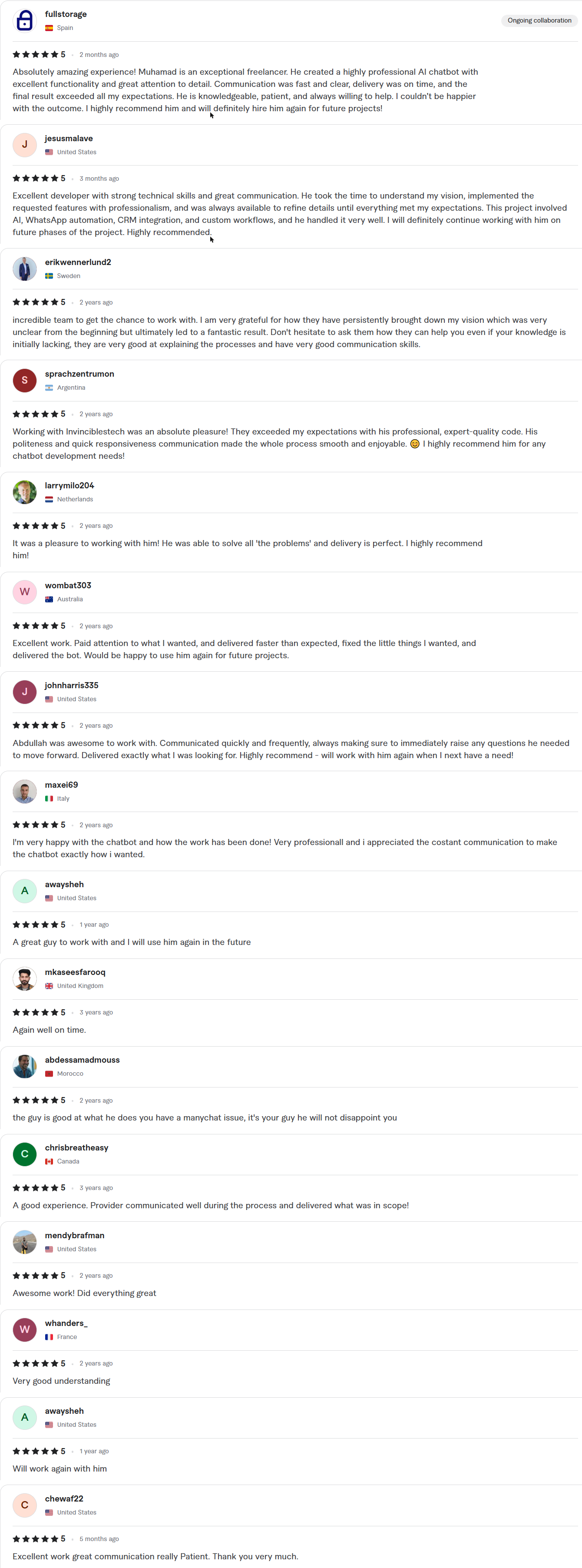
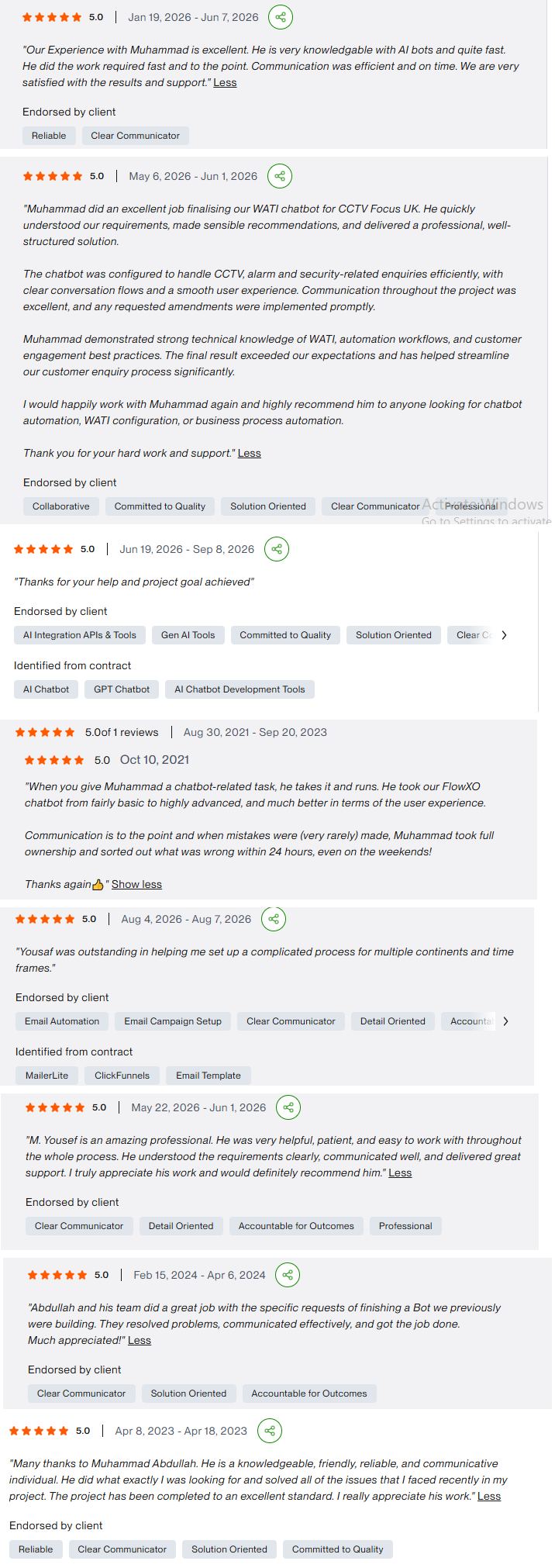
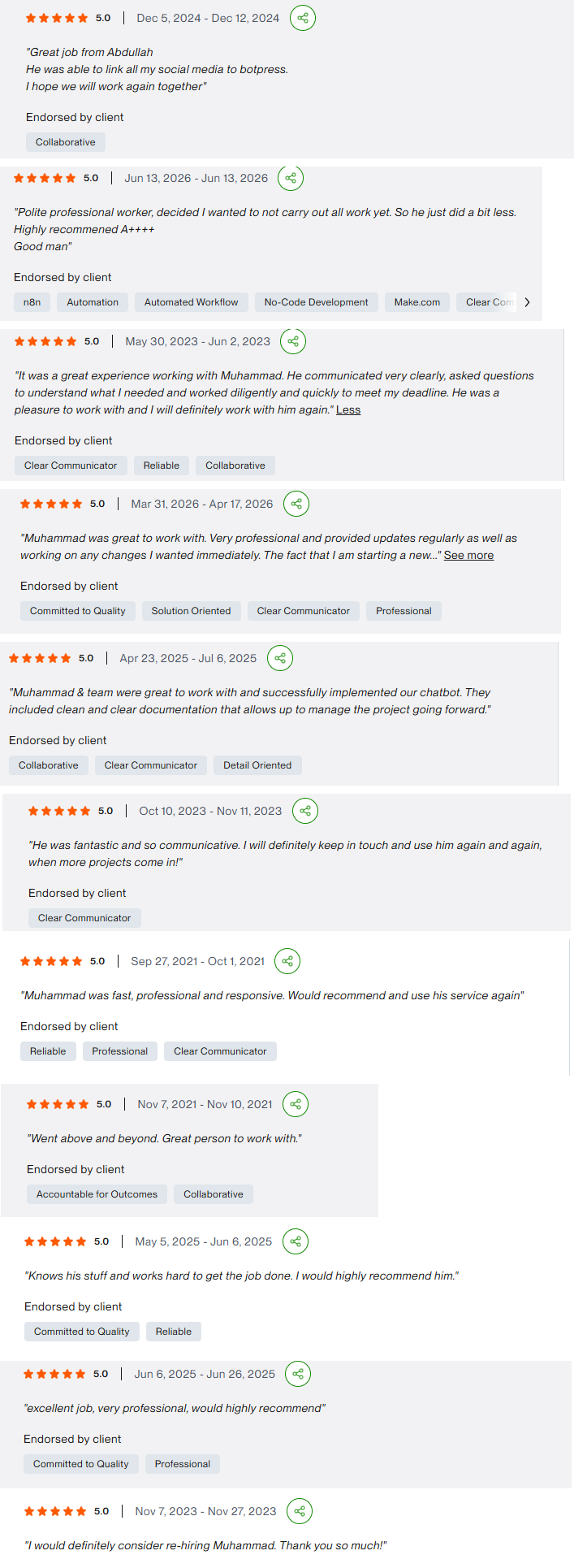
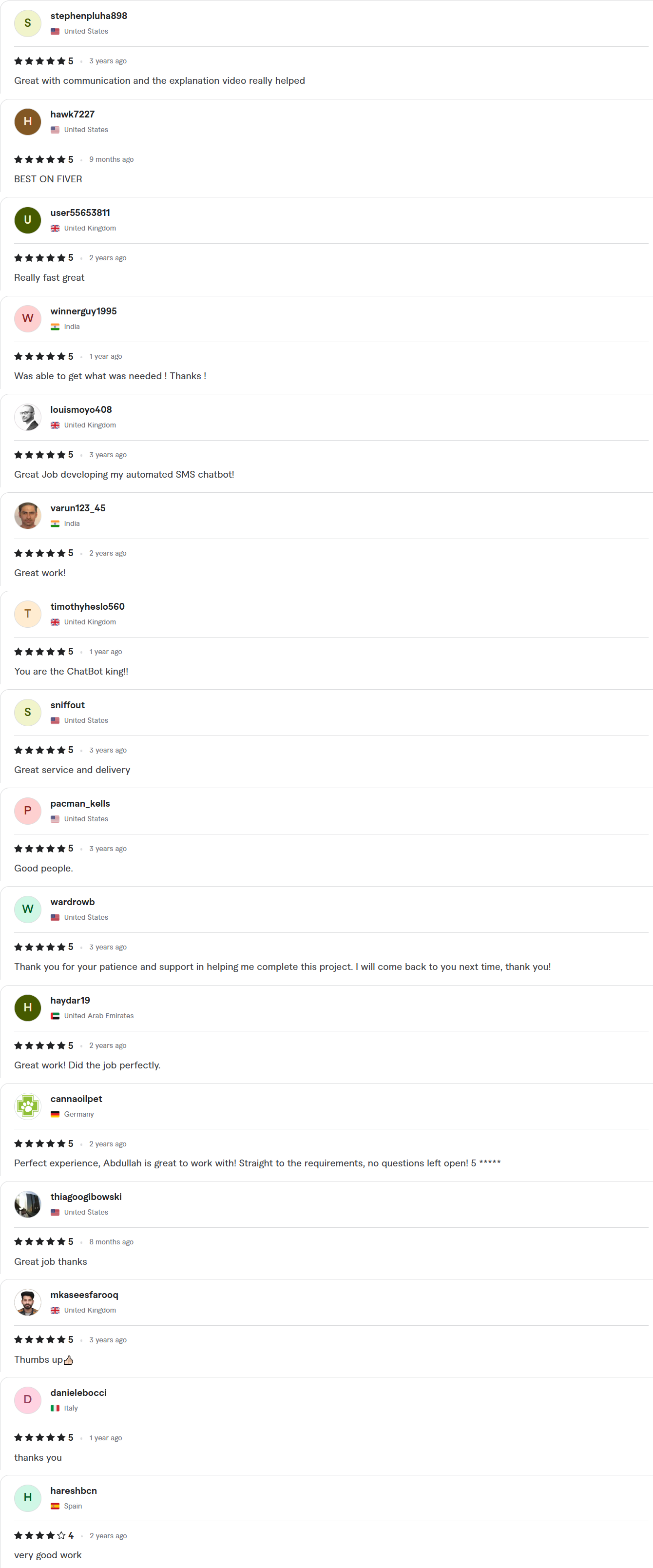
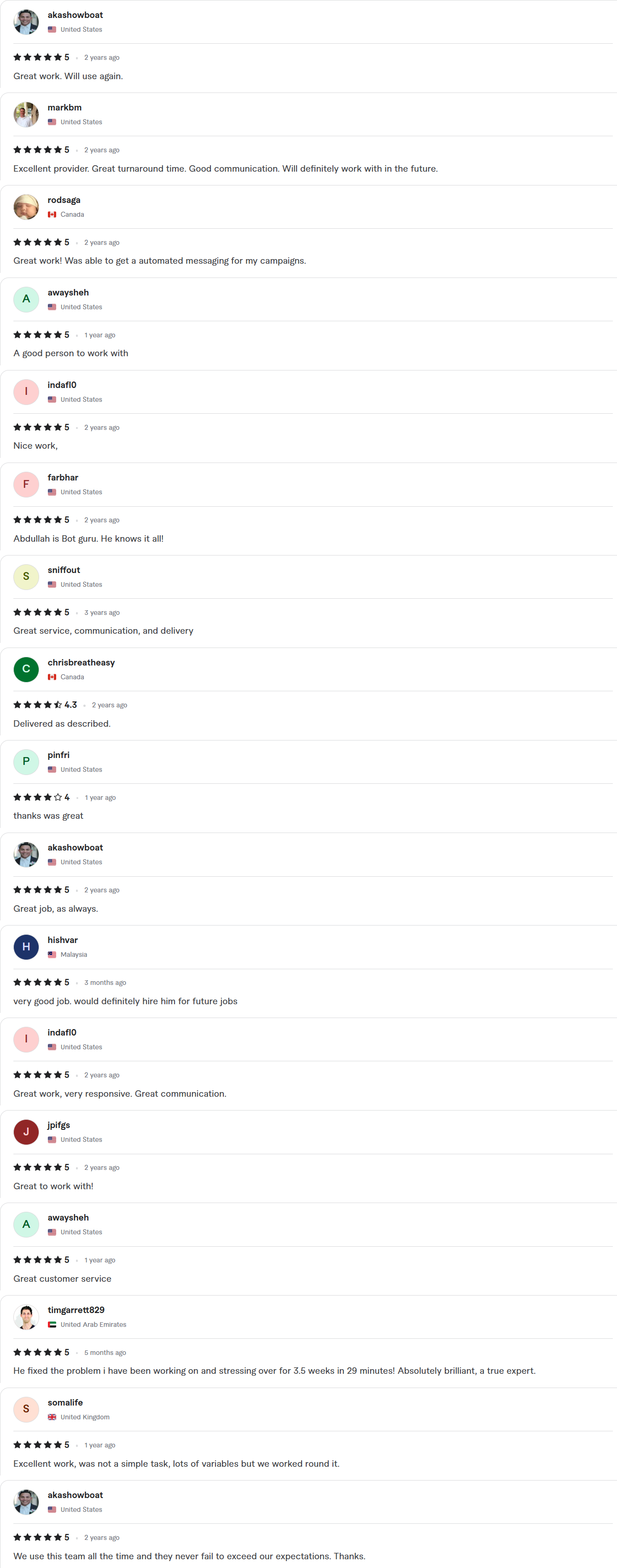
Client Reviews
5.0 average rating on Upwork and Fiverr
Answers, before you book.
Quick answers to the questions we hear most from call center teams.
Does it replace our human agents?
No. It takes the routine volume so your human agents handle the calls that need judgment. Most teams use the freed capacity for harder cases and better service, not just headcount cuts.
Will it work with our current phone system?
That is the aim. We work with on-premise and cloud PBX systems over SIP where they allow it, so numbers, queues and routing stay as they are. We confirm the details of your setup on the discovery call.
How is quality monitored?
Calls and chats are logged, and a weekly report shows resolution and handoff rates. We read sample transcripts with you and tune the flow on real contacts.
What happens to calls it cannot handle?
They transfer to a human agent with a written summary, so the caller does not repeat themselves. You define the triggers, including a caller simply asking for a person.
Can it make outbound calls too?
Yes, for appointment reminders, callbacks and follow-ups. Calling lists must respect consent and local calling rules, and we build opt-out handling into every outbound flow.