AI, Automation & Software for Data Management
Data that moves itself and stays clean.
Operations teams, data teams and document-processing companies lose hours to retyping records between systems, reading documents by hand and reports nobody trusts. We build the chatbots, agents, automations and software that sync systems, read and check documents, flag what is uncertain and make your knowledge searchable.
Why Choose GetAIChatBots for Data Management Teams
Data management automation moves records between systems, reads documents, checks the data and makes it searchable, so your team stops retyping and starts trusting its numbers. GetAIChatBots builds the chatbots, voice agents, sync workflows, AI document extraction, CRMs and custom software for data-heavy teams. Anything uncertain goes to a person for review, and we keep your data in systems you control. We work remotely with operations teams, data teams and document-processing companies across the United States and worldwide.
Retyping and re-checking cost more than the data is worth.
Records are copied between systems, documents are read one at a time and each manual step adds errors that surface weeks later. The data team answers the same requests by email, and the reports are rebuilt by hand every month.
The fix is rarely one tool. It is the right mix: a chatbot that answers from your documents, automation that syncs and checks the data, and software where off-the-shelf stops fitting. A person reviews anything uncertain.
- Records retyped between systems
- Documents processed one at a time
- Reports rebuilt by hand
Three steps from messy to measurable.
Map the data
We trace where each record is created, changed and consumed.
A short working session follows a record through your systems, marks the manual steps and finds where errors enter.
- Systems and handoffs reviewed
- Weak points found
- Quick wins agreed first
Build the right mix
Chatbots, agents, automation, CRM or software.
We build in short cycles with a demo each week, starting with the change that removes the most manual handling.
- Weekly demos
- Connected to your systems
- Fixed scope in writing
Run and improve
We monitor, report and keep improving.
Each workflow and agent is monitored, with alerts and a regular review of what is working and what was flagged.
- Monitoring and alerts
- Regular reporting
- Handover and training
How we help data-heavy teams
Six services, one team. Choose one to see how it works for data management.
AI Chatbots
Chatbots on your intranet, website and chat tools that answer from your own documents, so your data team can stay on the data.
- Staff knowledge base
- Data and report requests
- Access and onboarding questions
- Handover to a person
AI Agents
Voice agents that answer helpdesk and client support calls around the clock and pass urgent incidents to the right person.
- After-hours and overflow calls
- Job and request status
- Access and request intake
- Callbacks and updates
Business Automation
Workflows that remove the retyping between systems, the hand-reading of documents and the hand-built reports.
- System-to-system sync
- Document extraction
- Validation and de-duplication
- Scheduled reports and alerts
CRM Development
A CRM shaped around clean data and connected systems instead of a generic sales pipeline.
- Clean-up and migration
- A data model that fits
- Integrations
- Reports and dashboards
Full Stack / SaaS
Custom software for when off-the-shelf tools stop fitting how your data work runs.
- Review queue
- Internal data portal
- Reporting dashboard
- Integrations
Advisory & Growth
Clear advice before you build: what to automate, what to fix and what to leave with people.
- AI roadmap
- Data flow review
- Security review
- Product scoping
One team for the whole data flow
Bad data is lost in the gaps: the field retyped twice, the document read by hand, the duplicate nobody merged. We build the chatbot, the agent, the automation and the CRM as one connected system, so a record is created once and every tool that needs it is updated. Rules decide what is checked and merged automatically, and anything low-confidence or sensitive is flagged for a person.
Book a Call ↗From messy to measurable, handled.
We build six kinds of service for data-heavy teams: chatbots, voice agents, automation, CRM development, custom software and advisory. They can be bought one at a time, and they are designed to work together.
What gets built first
Whatever removes the most manual handling: usually system sync, document extraction and the weekly report.
Where people stay in charge
Review of anything low-confidence, decisions on sensitive data and the rules themselves. Systems handle the repetitive steps and hand over with the full history.
Works with your stack.
We connect everything to your databases, CRM, storage and ticket tools where they offer an interface, and recommend the platform that fits how your team works.
Book a Call →Why Choose GetAIChatBots for Data Management Chatbots
A data team chatbot answers staff questions from your approved documents with the source shown, and collects data and report requests in a structured form, so the data team receives complete tickets. GetAIChatBots builds chatbots and voice agents for data-heavy teams, connected to your ticket system and document stores. It answers only from the documents you approve and never runs queries on live data from the chat. We work remotely with clients across the US and worldwide.
The same questions fill the data team’s inbox.
Where is this field defined, who owns this table, can you send me last month’s numbers: data teams answer the same requests every week by hand. Answers live in scattered documents, requests arrive in chat threads and emails with details missing, and nobody trusts which version of a document is current.
A chatbot answers from your approved documents with the source shown, collects each request in a structured form and raises a complete ticket, so the data team spends its time on data work.
- Repeat questions to the data team
- Requests missing the period or breakdown
- Several versions of the same document
Three steps from question to launch.
Load your documents
The bot learns from the documents you approve and says so when it does not know.
You choose the sources: procedures, the data dictionary, policies and guides. Old or conflicting versions are flagged so the answers stay reliable and the owner of each document is known.
- Approved documents loaded
- Conflicting versions flagged
- Owners named for each topic
Answer and collect
It answers questions with the source shown and collects requests in a structured form.
Staff get an answer with a reference to the document. Data and report requests are collected with the period, breakdown and purpose, and raised as a ticket in your system.
- Answers with a source shown
- Structured request forms
- Tickets created automatically
Hand over and improve
Sensitive or unclear questions go to an owner, and weak answers are reviewed.
Anything the bot cannot settle goes to the named owner with the conversation. We review the questions that failed first and update the documents or the rules.
- Handoff with the full conversation
- Failed questions reviewed first
- Documents and rules updated
What you get.
Answers from approved documents
Staff get the answer and the source.
- Procedures, data dictionary and guides
- Source shown with each answer
- Says so when it does not know
Structured data and report requests
Requests reach the data team complete.
- Period, breakdown and purpose collected
- Ticket created in your system
- Reference given to the requester
Document owner routing
Questions the bot cannot settle go to the person who can.
- Owner named for each topic
- Conversation attached
- Alerts to the right person
Version and freshness checks
Answers come from the current document.
- Old versions flagged
- Updated when a document changes
- Review of unanswered questions
Onboarding and access answers
New starters find what they need.
- Tools and access steps
- Data rules and who to ask
- Handoff for access requests
Voice agent for helpdesk calls
Calls out of hours are answered, not missed.
- Common questions answered
- Requests logged as tickets
- Urgent incidents passed to the on-call person
What AI chatbots do for data-heavy teams
Chatbots on your intranet, website and chat tools that answer from your own documents, so your data team can stay on the data.
Staff knowledge base
Staff ask about procedures, definitions and where data lives, and get the answer from approved documents with the source shown.
Data and report requests
Requests are collected in a structured form with the period, breakdown and purpose, and raised as a ticket for the data team.
Access and onboarding questions
New starters and teams get answers about tools, access steps and data rules, with the owner named for anything the bot cannot settle.
Handover to a person
Anything the bot is unsure about, or any question about sensitive data, goes to a named owner with the full conversation.
A chatbot that answers from your documents, not from guesses
A knowledge chatbot is only useful if people can trust it. Ours answers only from documents you have approved, shows the source of each answer and says so when it does not know. It does not run queries on live data or reveal records from the chat, and requests for data go to the data team as a ticket. Access is limited by role, so a question about restricted material goes to the document owner. We agree the sources, the topics that always go to a person and the access rules with you before launch.
Book a Call ↗Answers with sources, requests as tickets, the data team on data.
A data team chatbot is an assistant in your intranet, website or chat tool that answers questions from your own documents, citing where each answer came from, and collects requests in a structured form. It handles the repeat questions that fill a data team’s inbox, so people spend their time on data work and every request arrives complete.
What the bot handles
Procedure and definition questions, where-does-this-live questions, onboarding answers and structured data and report requests.
Where people stay in charge
Running queries, releasing data, decisions on sensitive material and the content of the documents themselves. The bot hands these to a named owner.
Works with your stack.
We connect the bot to your document stores and ticket system, where they offer an interface, plus your chat tools, and recommend the platform that suits your team.
Book a Call →The channels staff and clients actually use.
Questions come in on the intranet, in chat and by email, and calls come in when something is urgent. We set up the channels below so every question reaches the same approved source of answers.
Why Choose GetAIChatBots for Data Management AI Agents
A data team AI agent answers the helpdesk line when the team is busy, tells callers the status held in your ticket system, takes the details of new requests and passes urgent incidents to the on-call person. GetAIChatBots builds voice and chat agents for data-heavy teams, connected to your phone number and ticket tool. We work remotely with clients across the US and worldwide.
The helpdesk line rings during every deployment and every month-end.
Data teams are busiest when callers need them most: a failed job, a month-end close, a migration weekend. Calls queue up, requests are passed on by voicemail and callers phone again for the status of the last request.
A voice agent answers every call, tells callers the status held in your system, collects the details of new requests and opens the ticket. Urgent incidents go straight to the on-call person.
- Callers on hold during busy periods
- Voicemail requests missing details
- Repeat calls for ticket status
Three steps for AI agents in data teams.
Define the call
We write the call around your services, hours and escalation rules.
Together we agree what the agent says, what it asks and when it passes the call to a person. It answers from your own procedures and service descriptions, so its answers stay accurate.
- Greeting, questions and handover rules
- Procedures and services loaded
- Voice and language chosen
Connect phone and ticket system
The agent plugs into your number, your ticket system and the on-call rota.
We connect your phone number, the status information in your ticket or job tool and the on-call contacts, and set the hours and rules. Inbound and outbound calls run on the same setup.
- Number and call routing set up
- Ticket system linked
- Call hours and rules configured
Answer, log, hand over
It answers, records the request and passes urgent calls on.
Every call is logged with a summary and outcome. Urgent incidents transfer to the on-call person, and routine requests become complete tickets.
- Summary and outcome saved
- Urgent calls transferred live
- Tickets opened with details
What you get.
Inbound call answering
Every call is picked up on the first ring, day or night.
- Greeting in your team’s voice
- Common questions answered
- Urgent calls transferred to a person
Job and request status
Callers hear where their request stands.
- Status read from your ticket system
- Text update offered
- Escalation when a request is overdue
Request intake
New requests are collected by phone.
- Details and urgency captured
- Ticket opened in your system
- Reference given to the caller
Answers from your documents
Procedures become accurate spoken answers.
- Retrieval from your own files
- Sources kept up to date
- Handover to a person when unsure
Phone system integration
The agent works with the lines you already have.
- PBX and SIP connection
- Call routing and live transfer
- Logs kept for every call
Call summaries in your system
Every call ends with a clear record.
- Summary and outcome saved
- Tasks created for follow-up
- Urgent items flagged
What AI agents do for data-heavy teams
Voice agents that answer helpdesk and client support calls around the clock and pass urgent incidents to the right person.
After-hours and overflow calls
Calls outside office hours, or while the team is busy, are answered and logged, with urgent incidents passed to the on-call person.
Job and request status
Callers ask where a data job or request stands and hear the current status from your ticket or job system.
Access and request intake
Callers describing a request or an access problem have the details collected and a ticket opened.
Callbacks and updates
Callers get a callback or a text update when the team has news, instead of waiting on hold.
A voice agent that gives the status and takes the details
Helpdesk callers want to know where their request stands, or to report something new. Our agents read the status from your ticket system, ask the questions a good coordinator would ask and hand over to a person the moment the caller wants one or the issue is urgent. The agent does not release data or change records by phone, and requests that need a decision become tickets for the team.
Book a Call ↗Answer first, take the details, hand over cleanly.
A data team AI agent is a voice or chat assistant that answers inbound calls, reads out the status of a request and logs new ones, then passes anything urgent to a person. It covers the hours and the volume your team cannot reach.
What gets handled first
Out-of-hours calls, status calls during busy periods and request intake. These are frequent, rule-based conversations where a quick answer saves a repeat call.
Where people stay in charge
Urgent incidents, access decisions and anything involving sensitive data. The agent transfers live or hands over with a summary, so your team starts informed.
Works with your stack.
We connect the agent to your phone number, ticket system and on-call rota, and recommend the platform that fits your call volume.
Book a Call →What sits behind a data team voice agent.
A voice agent is more than a script. These are the pieces that make it accurate, reliable and connected to your phones.
Why Choose GetAIChatBots for Data Management Automation
Data automation moves records between your systems, reads documents and extracts their fields, checks them against your rules, merges duplicates and sends anything uncertain to a person. GetAIChatBots builds sync workflows and AI document extraction on the platform that fits your stack, and we work with clients across the US and worldwide. We keep your data in systems you control.
The same record lives in four places.
Data is retyped between systems, documents are read one at a time by hand and nobody trusts the totals. Each manual step adds errors that are found weeks later, when they are expensive to unwind and everybody has stopped believing the reports.
Automation connects those systems, so a record is entered once, documents are read and checked, duplicates are merged and anything uncertain waits for a person, with reports that build themselves.
- Records retyped between systems
- Documents processed one at a time
- Reports nobody fully trusts
Three steps for automation in data teams.
Map the data
We trace where each record is created, changed and consumed, and where it goes wrong.
We follow a record through its life across your systems, mark the manual steps and the places where errors enter, and pick the handoffs that cost the most time.
- Systems and handoffs mapped
- Manual steps ranked by effort
- Quick wins agreed first
Build and connect
We build the workflows and connect your systems.
Records sync between systems, documents are read and checked against your rules, duplicates are merged and low-confidence items are queued for review. Errors trigger alerts and retries.
- Sync between your systems
- Extraction and validation rules
- Review queue for uncertain items
Monitor and report
You get a weekly report and alerts if anything breaks.
Each workflow is logged and monitored. A weekly report covers volumes, errors and items waiting for review, and we hand over documentation so your team knows how it works.
- Error alerts, retries and logging
- Weekly report sent automatically
- Handover documentation
What you get.
System-to-system sync
The same record, current everywhere.
- CRM, billing, support and storage connected
- Changes pushed through automatically
- Alerts when a sync fails
Document extraction
Documents become records without retyping.
- PDFs, scans and email attachments read
- Fields checked against your rules
- Low-confidence items sent for review
Validation and de-duplication
Clean data on arrival.
- Missing and inconsistent fields flagged
- Duplicates merged by your rules
- A log of every change
Review queue
A person checks what is uncertain.
- Source document shown with each item
- Approve, correct or reject
- Decisions recorded
Scheduled reports
The numbers arrive without anyone building them.
- Volumes, errors and open items
- Delivered to your inbox or chat
- Alerts when a number moves outside your limits
Monitoring and alerts
You hear about a problem before your users do.
- Error alerts and automatic retries
- Logs for every workflow
- Documentation handed over
What automation does for data-heavy teams
Workflows that remove the retyping between systems, the hand-reading of documents and the hand-built reports.
System-to-system sync
Records created or changed in one system are updated in the others on their own, with error alerts and retries when a step fails.
Document extraction
Fields are read from PDFs, scans and email attachments and checked against your rules before they reach a record.
Validation and de-duplication
Missing or inconsistent fields are flagged, duplicates are merged by your rules and low-confidence items go to a person for review.
Scheduled reports and alerts
Volumes, error counts and open items summarised on a schedule, with alerts when a number moves outside your limits.
Automation that checks its own work and asks when unsure
In data work, a silent error costs more than a slow process. We map where records change hands, then automate the steps that follow clear rules, with validation, a log of every change and error alerts and retries. Anything the system is unsure about waits in a review queue with the source attached, instead of being guessed. In one real case, order events flowed through three systems with zero manual entries and about 40 hours a month saved. Every workflow is documented and handed over.
Book a Call ↗Enter it once, check it once, and let the workflow do the rest.
Data automation connects the systems your team already uses so records, documents and reports move on their own, under rules you set. It handles the repetitive, rule-based work, so your team spends its time on exceptions and analysis instead of retyping.
What gets automated first
System sync, document extraction, validation and the weekly report. These are frequent, rule-based tasks where a manual slip creates errors found weeks later.
Where people stay in charge
Review of low-confidence items, rule changes and decisions on sensitive data. Workflows create the task and the context; your team makes the call.
Works with your stack.
We build on the platform that fits your tools, and connect it to your databases, CRM, storage and ticket tools, where they offer an interface.
Book a Call →The right tool for each workflow.
We recommend a platform by what it costs to run and how your team will maintain it, not by habit.
Why Choose GetAIChatBots for Data Management CRM Development
A CRM rebuilt for clean data sets the rules once: required fields, matching and merge rules, standard values and connected systems. GetAIChatBots builds and rebuilds CRMs on GoHighLevel, HubSpot, Zoho and Salesforce for data-heavy teams, with clean data, integrations and reports you can trust. We work with clients across the US and worldwide.
The CRM has become a second spreadsheet.
The same customer exists three times, fields are filled in differently by each person and half the records are missing something. Several tools write to the CRM in different ways, so nobody trusts a report and every import creates more duplicates.
A rebuilt CRM sets the rules once: required fields, matching rules, standard values and connected systems, so records stay clean as they arrive instead of being fixed afterwards.
- Duplicate customers and contacts
- Fields filled in differently by each person
- Reports nobody fully trusts
Three steps for CRM development in data teams.
Audit your data
We review your fields, data quality and integrations.
We look at how records are created today, where data is duplicated or missing, and which tools write to the CRM.
- Fields and data reviewed
- Duplicates and gaps identified
- Integrations listed
Rebuild and clean
Data model, validation rules and automations shaped for your work.
We set required fields, matching and merge rules and standard values, connect your systems and migrate and clean the existing data. Every change is logged.
- Validation and matching rules
- Migration and clean-up
- Systems connected
Report and hand over
Dashboards and training so the team keeps it clean.
Data-quality and pipeline reports show what is working. We train your team and hand over the setup, so you are never locked in.
- Data-quality reports
- Team training
- Full handover
What you get.
Data model that fits
Objects and fields arranged the way you work.
- Accounts, contacts, contracts and custom objects
- Required fields and validation
- A clear owner for each record
Matching and de-duplication
One record per customer.
- Matching rules you approve
- Duplicates merged with a log
- Review of uncertain matches
Data clean-up and migration
Start with one trusted record per customer.
- Spreadsheets and old systems imported
- Fields standardised
- A log of every change
Integrations
Every tool writes to the same record.
- Forms, billing and support connected
- Chatbots and voice agents write to it
- Custom code where setup cannot reach
Data-quality reports
See what is complete and what is missing.
- Completeness and duplicate reports
- Source of each record
- Alerts when quality drops
Handover and training
The team keeps it clean.
- Documentation and access
- Team training
- No lock-in
What a rebuilt CRM does for data-heavy teams
A CRM shaped around clean data and connected systems instead of a generic sales pipeline.
Clean-up and migration
Duplicates merged, fields standardised and records imported from spreadsheets or an old system, with a log of every change.
A data model that fits
Accounts, contacts, contracts and custom objects arranged the way your team works, with required fields and validation rules.
Integrations
Forms, billing, support and marketing tools connected so each system writes to the same record.
Reports and dashboards
Data-quality and pipeline reports that show what is complete, what is missing and where records come from.
A CRM whose data you can trust
Most CRM problems are data problems: duplicates, free-text fields and records that only one person understands. We fix them at the source with required fields, matching rules and standard values, then connect your tools so they write to the same record. Merge decisions are logged and uncertain matches go to a person. Your data is yours: we hand over the setup, documentation and access, and we never lock you in.
Book a Call ↗One record per customer, kept clean as it arrives.
A data-first CRM keeps customers, accounts and contracts together under rules that stop bad data entering, instead of fixing it afterwards. A rebuilt CRM removes duplicates and manual routing and gives every report a source.
What gets built first
The data model, validation and matching rules and the clean-up of existing data. These give the biggest gain before any extra automation is added.
Where people stay in charge
Uncertain merges, rule changes and the customer relationship. The CRM supplies the history and the logs; your team supplies the judgment.
Works with your stack.
We work on the CRM you already use, or help you choose one, and connect it to your forms, billing, support tools and chatbots.
Book a Call →The CRM that fits your data.
We build on the CRM you already have, or recommend one by team size, budget and how much customisation you need.
Why Choose GetAIChatBots for Data Management Custom Software
Custom software fits when off-the-shelf tools stop matching how your data work runs: a review queue for flagged records, an internal data portal with role-based access, or a reporting dashboard on your own data. GetAIChatBots builds these for data-heavy teams, with the code in your own organisation, and we work with clients across the US and worldwide.
Off-the-shelf tools stop fitting how you work.
Flagged records are checked in a spreadsheet, requests arrive by email and nobody can see what has been reviewed or by whom. Reports are rebuilt by hand, and access to datasets is granted ad hoc and forgotten.
Custom software puts review, requests and reporting in one place, with roles and an audit trail, connected to your databases and CRM.
- Reviews tracked in spreadsheets
- Data requests handled by email
- No record of who approved what
Three steps for custom software in data teams.
Scope the product
We agree what to build first and what it will do.
A short scoping phase turns your workflow into screens, data and a fixed plan, so you know the scope and cost in writing before any build starts.
- Users and journeys defined
- Features ranked
- Fixed scope in writing
Build in weekly steps
Senior engineers ship working versions every week.
Accounts, review queues, search and dashboards are built in short cycles with a demo each week. Your databases, CRM and storage are connected through APIs where they offer them.
- Weekly demos
- Accounts and permissions
- Database and CRM integrations
Launch and hand over
It goes live with the code in your organisation.
We deploy, test and hand over the code and documentation, and stay on for support if you want it.
- Deployment and testing
- Code in your organisation
- Documentation and support options
What you get.
Review queue
One place to check what was flagged.
- Source document shown with each item
- Approve, correct or reject
- Audit trail of every decision
Internal data portal
Staff find and request approved data.
- Search across approved datasets
- Request and approval flow
- Role-based access
Reporting dashboard
Volumes, errors and open items in one view.
- Built on your own data
- Alerts you define
- Team and trend reporting
Integrations and APIs
Data that flows both ways.
- Databases and CRM connected
- Storage and messaging
- Webhooks and custom endpoints
Accounts and permissions
The right people see the right data.
- Roles for reviewers, managers and staff
- Audit trail of access
- Single sign-on where supported
Support after launch
Someone stays on when you want it.
- Monitoring and fixes
- Weekly or monthly retainers
- Embedded engineer option
What custom software does for data-heavy teams
Custom software for when off-the-shelf tools stop fitting how your data work runs.
Review queue
Records flagged by validation rules appear in one queue, where a reviewer approves, corrects or rejects each one with an audit trail.
Internal data portal
Staff search, request and download approved datasets and reports under role-based access, instead of emailing the data team.
Reporting dashboard
Volumes, error rates and open items on your own data in one view for managers. It shows information; people make the decisions.
Integrations
API connections to your databases, CRM and storage where they offer an interface, so data flows both ways.
Software that matches your workflow, not the other way round
We start with a short scoping phase that turns your workflow into screens, data and a fixed plan, so you know the scope and cost in writing before any build starts. Senior engineers then ship working versions every week, connect your databases and CRM through APIs and hand over the code and documentation. Every review decision and every access is logged, and dashboards show your information while decisions stay with your people.
Book a Call ↗Your tools, your data, your code.
Custom data software is a web app built around your reviewers, requesters and managers, instead of spreadsheets and email threads. It can replace ad hoc checks with one place for review, requests, access and reporting.
What gets built first
The part that removes the most friction: usually the review queue, the data portal or the reporting dashboard. We ship that first, then add to it.
Where people stay in charge
Review decisions, access approvals and the rules. The software handles the records and the process; your team handles the judgment.
Works with your stack.
We connect the app to your databases and CRM where they offer an interface, and host it in your own accounts.
Book a Call →The pieces of a data platform.
Pick one to start. They are built to work together when you add the next.
Why Choose GetAIChatBots for Data Management Advisory
Advisory means a plan before a purchase. GetAIChatBots helps data-heavy teams decide where AI and automation will pay off, map where records are created, changed and used, review how data and access move through their tools and scope a build before it starts. We work with clients across the US and worldwide.
Many teams automate before they know what to automate.
AI tools and automations are easy to buy and hard to place. Without a plan, teams automate steps that need a human check, send data through tools nobody has reviewed and build before the problem is clear.
A short advisory engagement shows which data steps are safe to automate, which need review and what to build first, before you commit.
- Automating steps that need a human check
- Data moving through unreviewed tools
- Builds started before the scope is clear
Three steps for advisory in data teams.
Audit the data flow
We follow a record from source to report.
We review your systems, handoffs and documents, and where records are retyped, duplicated or delayed. We also list the checks that must always involve a person.
- Systems and handoffs reviewed
- Weak points found
- Review steps listed
Score and prioritise
Each idea is scored on return, risk and effort.
You see which changes pay off fastest, which carry risk and which should keep a human check, including a review of how data and access are handled.
- Return and risk scored
- Security review of data handling
- Scope and boundary checks
Agree the next step
A named next step you can act on.
You leave with a roadmap any team can deliver. We can build it, support your own team or stay on as a monthly advisor.
- Roadmap in writing
- Next step named
- Optional monthly advisory
What you get.
AI opportunity audit
See where manual handling costs the most today.
- Systems, documents and handoffs reviewed
- Opportunities scored by return and risk
- A ranked list of what to do first
Data flow map
Know where each record goes.
- Creation, change and use traced
- Weak points marked
- Owners named
Roadmap
A plan any team can deliver.
- Phased steps and owners
- Platforms recommended
- Cost and timing outlined
Security review
Know where data and access go.
- Data flows traced across tools
- Access and logging checked
- Prioritised list of fixes
Product scoping
A fixed scope before a build starts.
- Users and journeys defined
- Features ranked
- Scope and cost in writing
Ongoing advisory
A senior partner on call.
- Monthly sessions
- Vendor and tool reviews
- Support for your own team
What advisory does for data-heavy teams
Clear advice before you build: what to automate, what to fix and what to leave with people.
AI roadmap
Where manual data handling, document reading and reporting cost the most today, and what to automate first.
Data flow review
A map of where each record is created, changed and used, with the weak points marked.
Security review
How data and access move through your systems, AI tools and chatbots, with a prioritised list of fixes.
Product scoping
A fixed scope for a review tool or data portal before any build starts.
Advice that ends in a named next step
Many teams buy AI tools before they have a plan, and end up automating steps that need a human check and sending data through systems nobody has reviewed. An advisory engagement maps the data flow, ranks the opportunities, writes down which checks stay with people and leaves you with a roadmap in writing, whether we build it, your team does or someone else does.
Book a Call ↗Decide first, then build.
Data advisory is a short, structured review of how your team creates, moves and uses data, so you invest in the changes that pay off fastest and keep a human check where it matters.
What gets reviewed first
The path of a record from source to report, the tools in between and where access is granted. This shows where a small change gives the biggest gain.
Where people stay in charge
The decisions. We give you scored options and a recommendation; you choose what to fund and when.
Works with your stack.
We review the tools you already use and recommend changes by effort, risk and return.
Book a Call →Five ways we help you decide.
Each can be bought on its own or combined into one roadmap.
Shopify, GHL and Klaviyo synced with zero manual entry
A skincare brand had order events that had to be copied between its store, its CRM and its email tool. We built an n8n workflow, self-hosted, so order events flow through all three systems without anyone involved: zero manual entries and about 40 hours a month saved. A different industry, and the same pattern a data team needs: a record is created once and every system that needs it is updated on its own.
Data automation built so you can trust the numbers.
Choosing a technology partner comes down to trust: will it keep your data safe, and will it tell you when it is unsure? We work remotely with data-heavy teams across the United States, from our Austin, TX and Pakistan offices.
Your rules, not a black box
Validation, matching and merge rules are written with you and logged, so every change can be explained.
- Rules written with you and logged
- Every automated change can be explained
Uncertain items go to a person
Anything low-confidence waits in a review queue with the source attached, instead of being guessed.
- Answers from documents you approve
- Source shown with each answer
Your data stays yours
We work in the systems you control, with access you grant, and hand over documentation at the end.
- Uncertain items go to a person
- Source attached for the reviewer
Knowledge chatbots built so you can trust the answers.
Choosing a chatbot provider comes down to trust: will it answer only from what you approved, and will it say when it does not know? We work remotely with data-heavy teams across the United States, from our Austin, TX and Pakistan offices.
Sources shown every time
Each answer names the document it came from, so people can check it and owners can fix it.
- Answers only from approved documents
- Source shown, says so when unsure
Requests as tickets
Data and report requests become complete tickets in your system instead of chat threads.
- Structured requests as tickets
- Complete from the first message
Access by role
We agree who can see which topics, so restricted material goes to its owner and not into a chat.
- Restricted topics go to the owner
- Full conversation passed on
What we need from you to begin.
A 30-minute call, a fixed-scope quote within 24 hours, then kickoff. This is what helps us move quickly.
Your documents
Procedures, the data dictionary and guides the bot may answer from.
Your ticket system
Where data and report requests should land.
Owners and access rules
Who owns each topic, and which topics must go to a person.
Your tone
A few sample replies, so the chatbot sounds like your team.
Voice agents built around your helpdesk.
Choosing a voice agent comes down to trust: will it sound like your team, and will it know when to hand over? We work remotely with data-heavy teams across the United States, from our Austin, TX and Pakistan offices.
Your call flow, your words
We write the call flow in your team’s words and test it with real examples before callers hear it.
- Call flow written in your voice
- Answers drawn from your own documents
Fits your phone line
It works with your existing number and on-call rota, so callers keep calling the same line.
- Live transfer with a call summary
- You choose which calls go to a person
Every call recorded
Each call ends with a summary, outcome and next step, so follow-up is never left to memory.
- Summary and outcome after every call
- Tickets created for follow-up
What we need from you to begin.
A 30-minute call, a fixed-scope quote within 24 hours, then kickoff. This is what helps us move quickly.
Phone number and call rules
Which number to answer, the call hours and when to transfer.
Your urgent-call rules
What counts as urgent and who is on call.
Procedure documents
The files the agent should answer from.
A named person for handover
Who takes transferred calls, and when.
Data automation built around your systems.
Choosing an automation partner comes down to trust: will it break, and can your team understand it? We work remotely with data-heavy teams across the United States, from our Austin, TX and Pakistan offices.
Your rules, written down
We write the validation and matching rules with you before building, so every automated decision can be explained.
- Data flow mapped before any build
- Rules written with you
Built to be maintained
Every workflow has logging, error alerts and documentation, so your team is never locked in.
- Logs, alerts and automatic retries
- Documentation handed over
Fewer tools to babysit
We remove steps and tools where we can, instead of adding another subscription on top.
- Low-confidence items queued for review
- Source attached for the reviewer
What we need from you to begin.
A 30-minute call, a fixed-scope quote within 24 hours, then kickoff. This is what helps us move quickly.
A list of your systems
CRM, billing, support, storage and reporting, with admin access where needed.
Sample documents and records
A few real examples of what comes in and what should come out.
Your rules
What counts as valid, what counts as a duplicate and what needs a person.
An owner on your side
One person who can approve changes and answer questions.
CRMs built around clean data.
Choosing a CRM partner comes down to trust: will your team use it, and will you own it? We work remotely with data-heavy teams across the United States, from our Austin, TX and Pakistan offices.
Clean data from day one
We merge duplicates and standardise fields before anything else, so reports can be trusted.
- Required fields and matching rules
- Duplicates merged with a log
Rules you can read
Matching and validation rules are written down and logged, so every change can be explained.
- Systems connected to one record
- Fields standardised
You own it
Setup, documentation and access are handed over at the end, with training for your team.
- Setup, access and documentation handed over
- Training for your team
What we need from you to begin.
A 30-minute call, a fixed-scope quote within 24 hours, then kickoff. This is what helps us move quickly.
Access to your current system
Or your spreadsheets, so we can review the data and fields.
Your data rules
Required fields, standard values and what counts as a duplicate.
The tools that write to it
Forms, billing, support and marketing tools to connect.
Reports you rely on
What you look at today and what you wish you could see.
Data software built around how you work.
Choosing a software partner comes down to trust: will it ship, and will you own it? We work remotely with data-heavy teams across the United States, from our Austin, TX and Pakistan offices.
Scope in writing first
You see what will be built, and what it costs, before any work begins.
- Users and journeys defined
- Features ranked, cost in writing
Working software every week
Short build cycles with a demo each week, so you can change direction early.
- A working demo every week
- Change direction early
You own the code
The repository and documentation sit in your own organisation, with no lock-in.
- Code and documentation in your organisation
- No lock-in
What we need from you to begin.
A 30-minute call, a fixed-scope quote within 24 hours, then kickoff. This is what helps us move quickly.
A short brief
Who will use the software and what it should do first.
Examples you like
Tools whose look or behaviour you want to match.
Access to your data sources
Databases, CRM and storage to connect.
A decision maker
Someone who can approve each weekly demo.
Data advice built around your systems.
Choosing an advisor comes down to trust: will the advice be independent, and will you be able to act on it? We work remotely with data-heavy teams across the United States, from our Austin, TX and Pakistan offices.
Independent of the build
The roadmap is yours to use with any team, including your own.
- A roadmap you can give to any team
- Recommendations without a build attached
Scored, not guessed
Each option is ranked on return, risk and effort, so the order is clear.
- Return, risk and effort for every option
- A clear order of work
Human checks included
We write down which steps keep a person in the loop, as part of the plan.
- Data flows and access traced
- Human checks written down
What we need from you to begin.
A 30-minute call, a fixed-scope quote within 24 hours, then kickoff. This is what helps us move quickly.
Your system list
What you use today to create, move and report data.
A walk-through of one record
From where it starts to the report it ends in.
Your goals
What you want to improve first: speed, cost or trust in the numbers.
A little of your time
A monthly session, or a short working call to start.
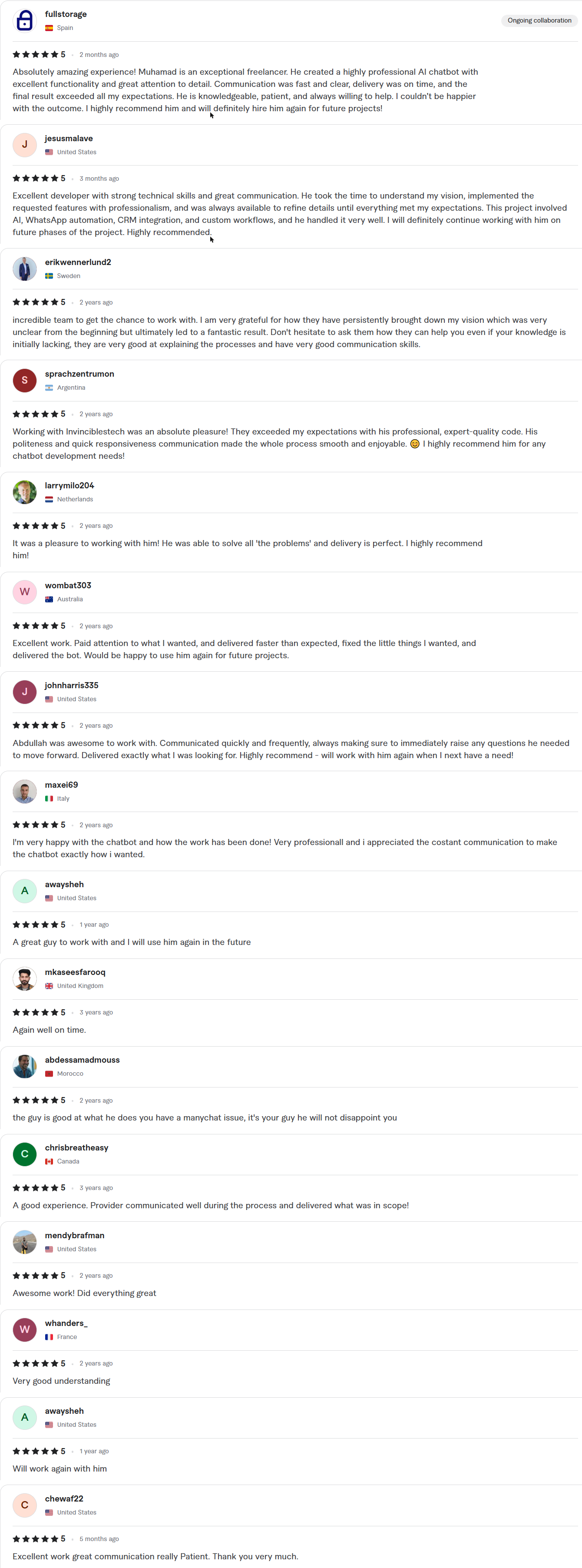
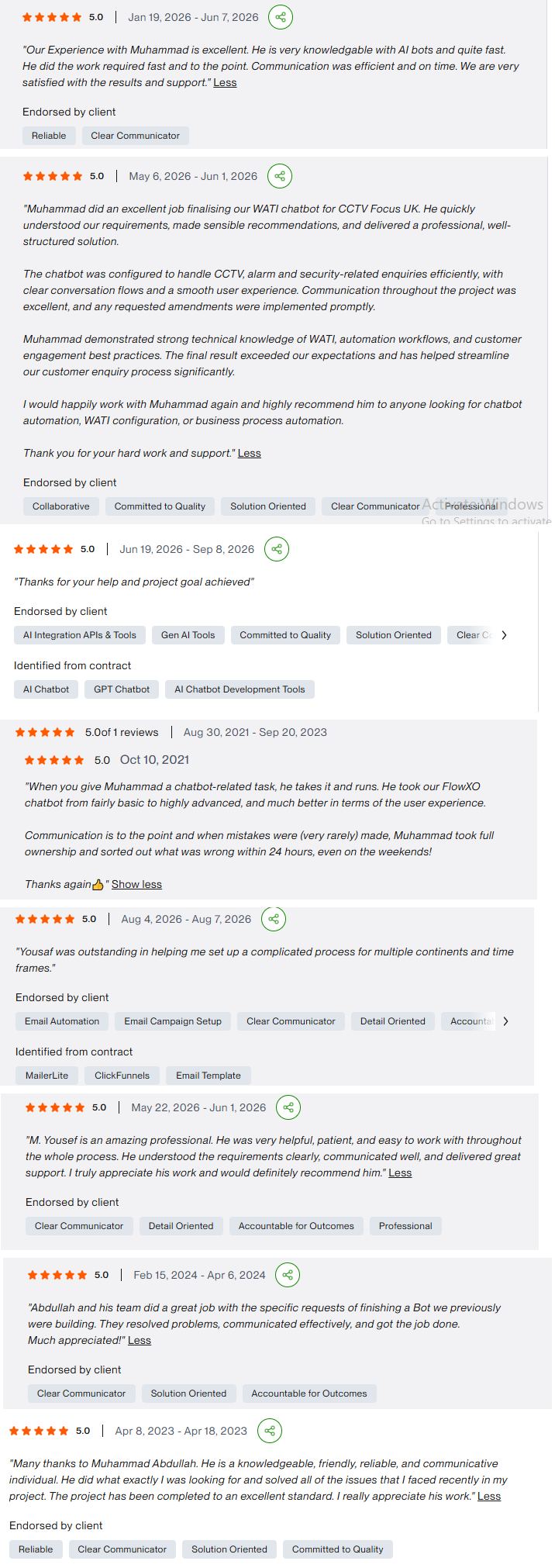
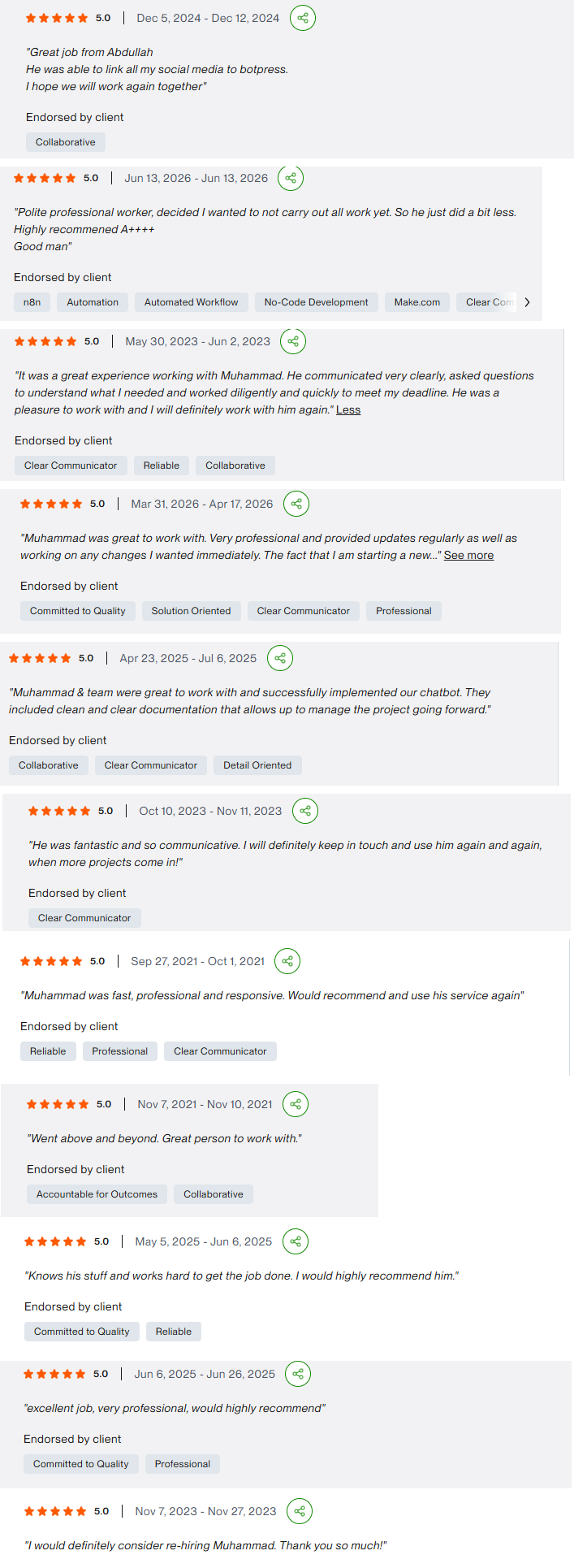
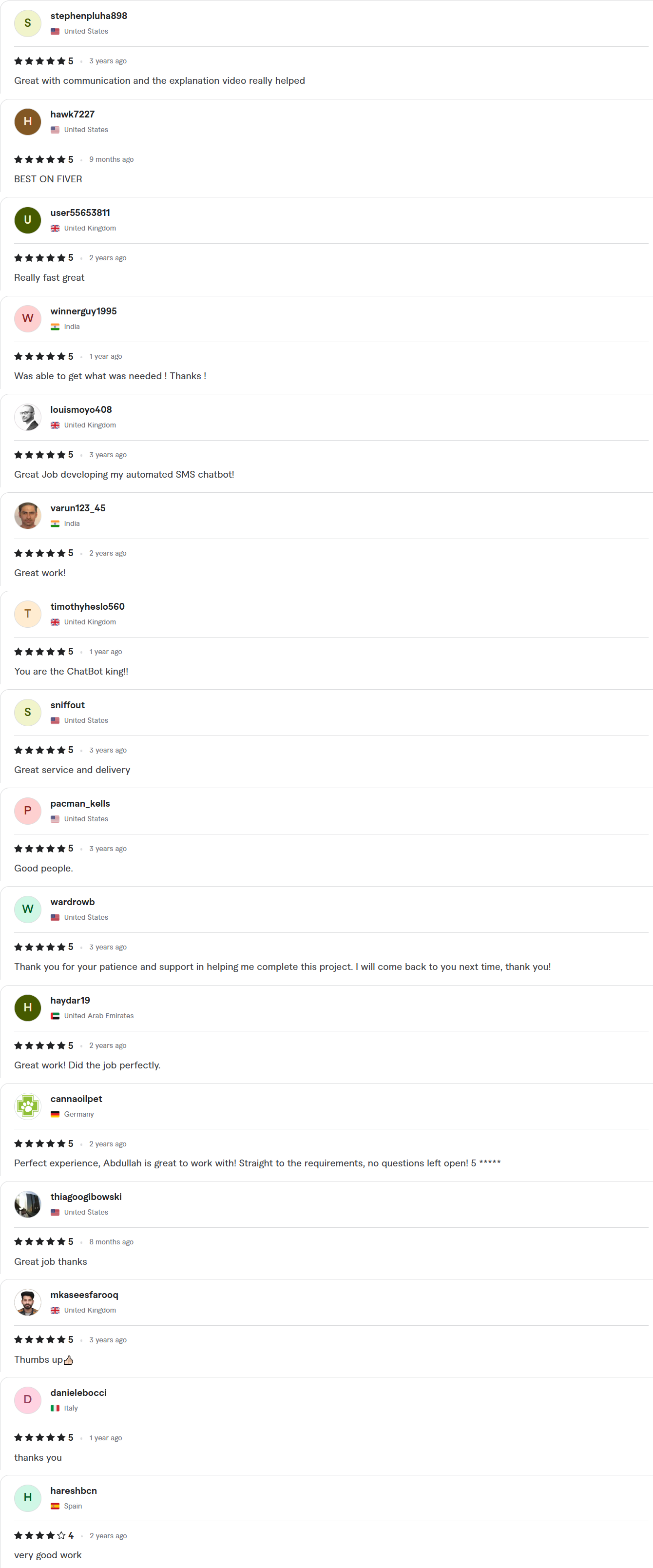
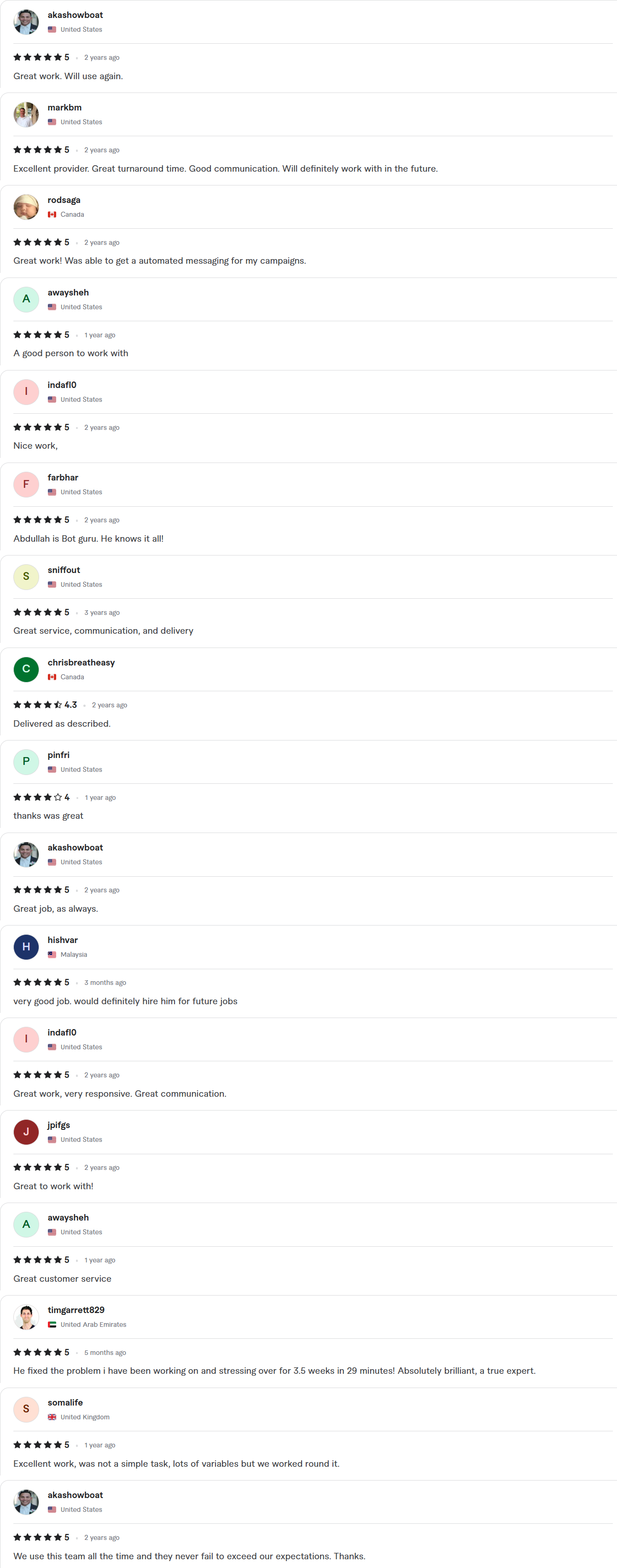
Client Reviews
5.0 average rating on Upwork and Fiverr
Answers, before you book.
Quick answers to the questions we hear most from data-heavy teams.
How accurate is the document extraction?
It depends on your documents, so we do not quote a figure. We test on your own samples, set validation rules and send low-confidence items to a review queue where a person approves or corrects them, so uncertain data is not guessed.
Where does our data live?
In systems you control. We work inside your own accounts with access you grant, can self-host workflows where needed and hand over the setup and documentation at the end.
Can the chatbot query our live data?
Not unreviewed. It answers from documents you approve and turns data and report requests into tickets for your data team. Anything involving restricted data goes to its owner.
What happens when a sync step fails?
Failures trigger an alert and an automatic retry, and every step is logged so you can see what happened. Items that cannot be fixed automatically wait for a person.
Do I need to replace our current systems?
No. We connect the systems you already use where they offer an interface, and replace a tool only if it is the weak point and you agree.